

Stale Service Pages Tell Google You’ve Closed. Here’s How to Tell It You Haven’t
Your phone used to ring. Then it slowed. Now your top service page sits on page two of Google, and you have no idea why.
Nothing is broken. Your site loads. Your contact form works. Your services are the same ones you offered last year, and the year before that. So what changed?
Probably nothing on your end. That’s the problem.
Google has been pushing service pages that look abandoned down the rankings. Not crashed. Not penalized. Just untouched. If your most important pages have not been updated in 12 to 24 months, search engines have less reason to keep showing them. And the longer they wait for a signal that you are still here, the further you drop.
The fix is not a website rebuild. It is a focused, 45-minute service page SEO refresh you can run on a single page in an afternoon. Here is what is actually happening, why it matters more in the AI search era, and how to put a service page SEO refresh into practice without breaking anything that already works.
The “Closed Business” Signal You Did Not Know You Were Sending
For commercial and local searches, freshness acts as a proxy for whether a business is still real.
This started with breaking news. Google built systems to recognize when a query needed recent information, like a sports score or a weather event. That same logic now bleeds into ordinary commercial searches. Somebody looking for “HVAC repair near me” or “commercial signage in Manchester” wants a company that is open right now, with current pricing and current staff.
When Google sees two service pages with similar authority, the fresher one wins. A page last touched in 2023 looks stale next to a competitor’s page updated last month. If your offerings, hours, or staff have shifted, the page does not reflect it, and search systems have nothing recent to trust.
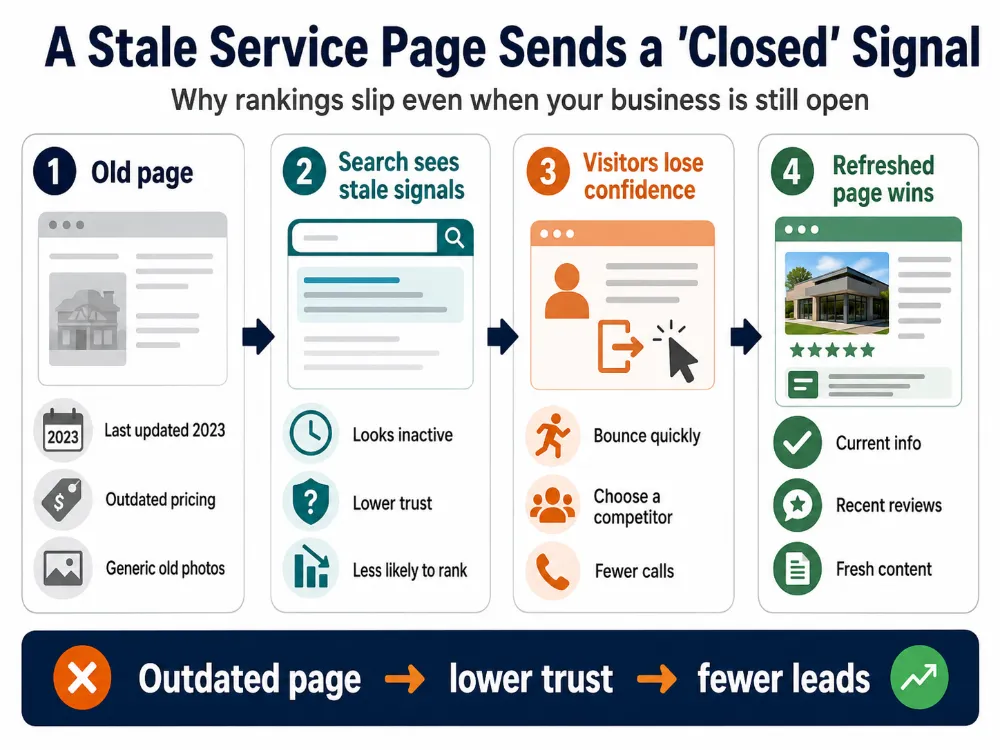
Here is the part that surprises most business owners. During the pandemic, local SEO professionals tracked sharp visibility drops for businesses that marked their Google Business Profile as “Temporarily Closed.” Google’s current guidance confirms that temporarily closed businesses can rank after open businesses for broad queries, depending on category. When those same businesses reopened the listing, visibility tended to recover.
The takeaway is the same. Search engines deprioritize businesses they suspect cannot fulfill an immediate need. An outdated service page is the silent version of that “Closed” signal. No banner, no warning, just a slow drift down the rankings.
Real visitors confirm the suspicion. Land on a service page that references 2023 pricing or last year’s model year, and you bounce in three seconds. Click back to search, pick a competitor, never return. Whether Google directly factors that pattern into rankings or not, the business outcome is the same. You lose the click, you lose the call, and the page stops earning its keep.
That is how a perfectly functional page dies. Not in one day. In a thousand small confirmations that nobody is home.
Why AI Search Made This Worse, Not Better
The fix used to be simpler when search meant ten blue links. Now AI Overviews, ChatGPT, Gemini, and Perplexity all pull answers from the same web you live on, and they are stricter about who they trust.
AI search engines do more than count keywords. They pull from your service page, your Google Business Profile, your Yelp listing, your Apple Maps entry, your reviews, and any other place your name appears. When that information lines up cleanly, you become a likely candidate to be cited in an AI answer. When it conflicts, even slightly, you tend to get skipped in favor of a competitor whose signals match.
Some people call this Generative Engine Optimization. The label is less important than what it changes about a service page SEO refresh. The goal is no longer just “rank on Google.” It is to become the answer an AI confidently recommends when someone asks for a business like yours.
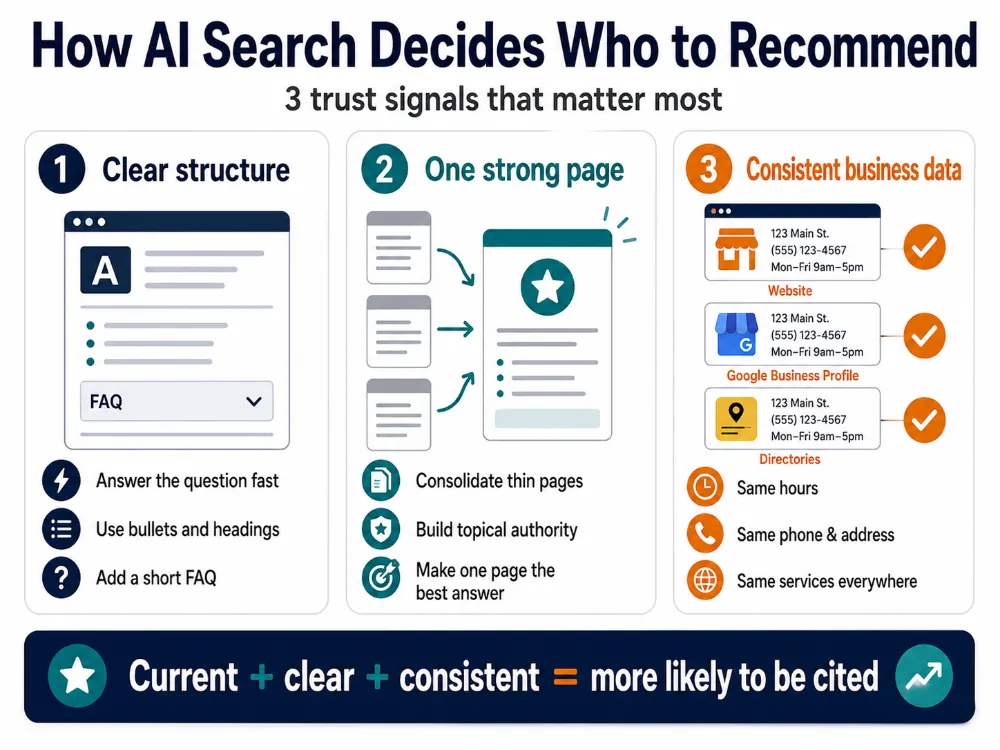
Three things matter most:
- Structure your content for extraction. AI models prefer clear answers in the first 100 words, bulleted lists, numbered steps, and direct question-and-answer sections. Walls of marketing copy get skipped.
- Consolidate, do not fragment. Five thin pages about “commercial roofing” split your topical authority across all of them. One strong page that covers everything wins citations and ranks higher.
- Match every data point across every platform. Your hours, address, phone number, and services need to read identically on your website, Google Business Profile, and every directory. AI search rewards businesses with no contradictions.
A service page that nails these three points gets recommended. One that misses them gets skipped, even if it ranks fine in traditional search today.
Pick the Right Page Before You Touch Anything
Most marketing teams react to a traffic drop by rebuilding the whole website. That is the most expensive, riskiest possible response, and it is the one a lot of agencies happily quote because rebuilds bill more than refreshes. A full redesign can wipe out years of accumulated search authority overnight if URLs change, redirects fail, or metadata gets discarded.
You do not need a redesign. You need triage.
Open Google Analytics 4 and Google Search Console. Pull a landing page report for the last 90 days and compare it to the same 90 days a year ago. Look for pages with a 20 percent or greater drop in organic sessions that has no obvious cause, no algorithm penalty, no server outage, no seasonal explanation.
Then score each declining page across four dimensions:
- Traffic potential. Does the target keyword still have search demand, or has the topic faded?
- Commercial intent. Is this a page people land on right before they call you, or is it a top-of-funnel blog post?
- Decay rate. How fast is the drop, and is it accelerating?
- Conversion rate. Is traffic stable but conversions falling? That points to outdated trust signals.
The pages that score high on commercial intent and traffic potential, but are decaying fast, get refreshed first. Everything else waits.
The 45-Minute Service Page SEO Refresh, Phase by Phase
You can run this protocol on any decaying service page in under an hour. Block the time, close your other tabs, and work through the four phases in order.
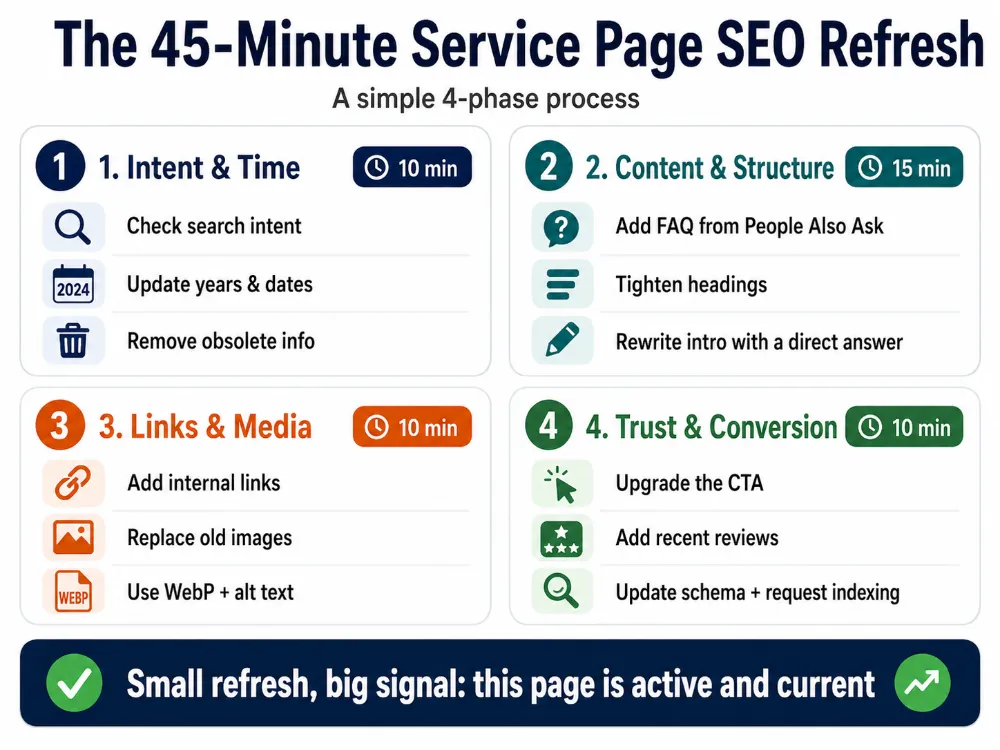
Phase 1: Intent and Time (10 minutes)
Open an incognito browser and search your target keyword. Look at what the top ten results actually look like. If they are checklists and comparison tables but your page is a long essay, you are out of alignment with what users now want. Restructure.
Then hunt down every outdated reference. Year mentions in headlines. Stale dates in pricing tables. A copyright footer still reading 2024. Replace each one with the current year. This single step stops the bounce-rate spike that signals neglect to both visitors and search systems.
Finally, kill the obsolete data. Old statistics, retired software references, abandoned product lines. Replace them with current numbers from credible sources, and link out to those sources. You are signaling to both readers and algorithms that this page is plugged into the present.
Phase 2: Content Gaps and Structure (15 minutes)
Scroll to the “People Also Ask” section on your target search query. Those are real questions your page is not answering. Add a tight FAQ section at the bottom of the page covering three to five of them. This closes content gaps and gives AI search systems clean question-and-answer pairs to pull from when somebody asks about your service.
Tighten your headings. Every H2 should match a question or topic somebody actually searches. Break dense paragraphs into shorter ones. Add bullet lists where you have three or more parallel items.
Then rewrite the intro to lead with a clear, direct answer to the page’s core question in the first 100 words. AI models pull from the top of the page first.
Phase 3: Internal Links and Media (10 minutes)
Find three recently published blog posts on your site that are topically related to this service page. Add a contextual link from each one back to the page you are refreshing. This passes fresh authority and gives Googlebot more reason to come back through.
Replace any old or generic images. Stock photos of suit-wearing handshakes age badly. Real photos of your team, your work, your location build trust faster and load lighter. Compress every new image to WebP format. Add descriptive, keyword-aware alt text to each one.
Check that your Largest Contentful Paint, Cumulative Layout Shift, and Interaction to Next Paint scores are still in the green. Image bloat is the most common reason they slip.
Phase 4: Trust and Conversion (10 minutes)
Generic CTAs are killing your conversions. “Contact Us” and “Click Here” tell the visitor nothing. Replace them with specific, action-oriented calls like “Get a 2026 Pricing Quote” or “Schedule a Site Walkthrough.”
Embed two or three recent customer reviews directly on the page. Not testimonials you wrote yourself. Real Google reviews with names, dates, and details. This is the single fastest way to prove you are open and operating.
Then add or update your schema markup. At minimum, your service page should have LocalBusiness schema and Service schema. Skip FAQ schema. As of May 2026, Google has stopped showing FAQ rich results in search, so the SEO payoff for marking up FAQs is gone for almost every business. Keep the visible FAQ content for users and AI search, drop the schema. Most WordPress sites can handle the remaining schema through Rank Math or Yoast SEO without writing code.
When you save, do one last thing. Go to Google Search Console, paste in the URL, and request indexing. This nudges Google to discover the update sooner than its routine crawl schedule. It is not instant. New crawls can still take days, and ranking changes take longer than that, but the request gets your page into the queue.
What Not to Do When You Refresh
A few mistakes will undo all your work, so worth flagging.
Before you touch anything, write down the page’s current title tag, meta description, primary keyword rankings, monthly organic sessions, and conversion count. Screenshot the Search Console performance graph. This is your baseline. Without it, you cannot tell whether the refresh worked or just shuffled deck chairs.
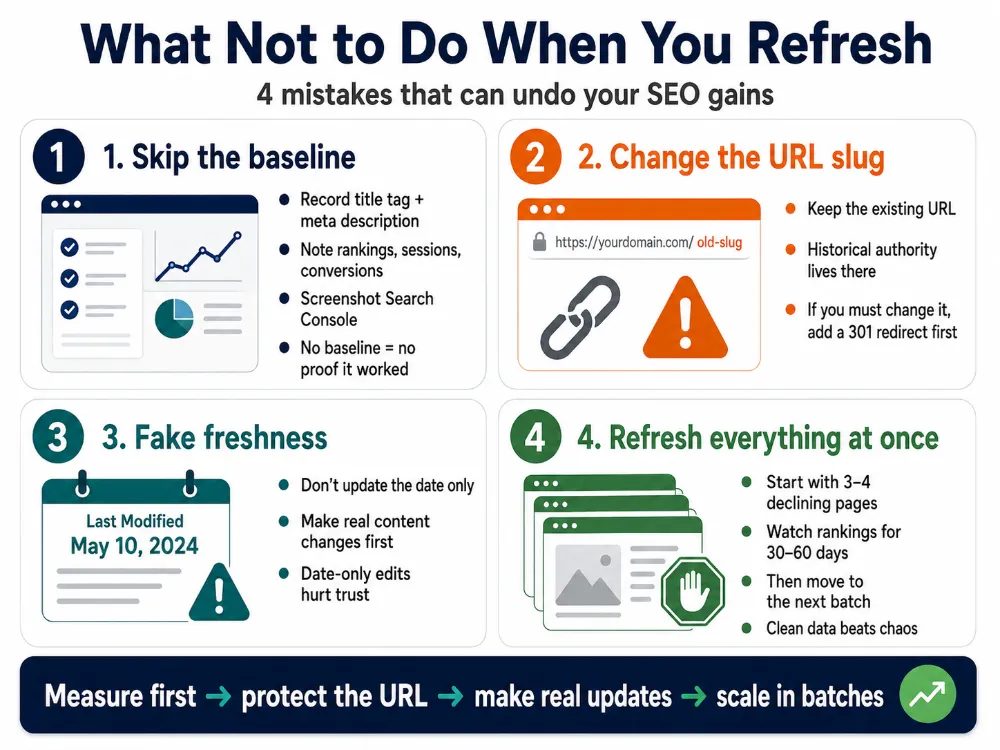
Do not change the URL slug. The historical authority lives in that exact URL. If you absolutely must change it, set up a permanent 301 redirect before you publish.
Do not update the “Last Modified” date if you have not actually made meaningful content changes. Date-only updates are unlikely to help and they break trust with readers who notice nothing has changed.
Do not refresh every page at once. Pick your top three or four declining service pages and refresh those first. Watch the rankings for 30 to 60 days, then move on to the next batch. This gives you clean data on what worked.
Why This Works When Redesigns Often Do Not
The math on regular page refreshes is hard to argue with. B2B sites that ran consistent content refreshes have reported organic session lifts of 19 percent year-over-year and average engagement time gains close to 44 percent. Some sites in competitive niches have multiplied organic traffic several times over by focusing purely on freshness, schema, and authority consolidation, without rebuilding anything.
Recovery from Google’s Helpful Content and Core Updates typically takes 60 to 90 days of disciplined refresh work. Not a rebuild. Just steady, page-by-page improvement signaling that the site is actively managed.
Google does not need your site to be perfect. It needs your site to look alive. Every refresh you publish is a signal that you are still here, still serving customers, still worth recommending.
The Habit That Beats a Full Rebuild
Your service pages are not finished products. They are living assets, and the businesses winning local and AI search treat them that way.
Pick one service page this week. The one that used to bring you leads and has gone cold. Block 45 minutes, work through the four phases, and request indexing before you close your laptop. Then watch your Search Console data for the next month.
You will start to see what most of your competitors are missing. The page does not need to be replaced. It needs to be tended.
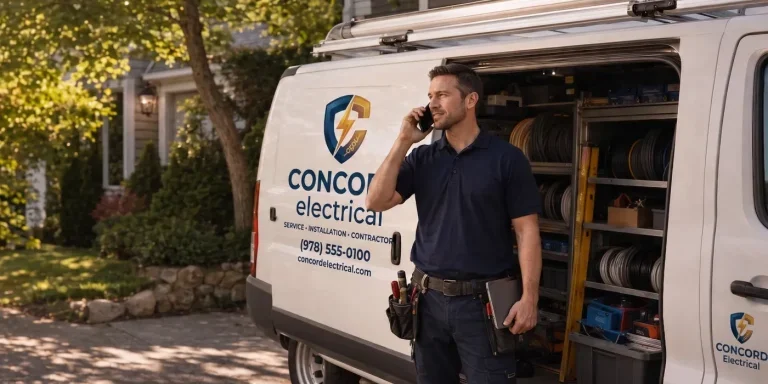
One last thing worth saying. A service page is one touchpoint. Your customers also see your signage when they drive past your building, your branded vehicles in their neighborhood, the trade show booth at the industry event, the swag they got at last year’s customer appreciation day, your Google reviews, and your social posts. If your website says you offer one thing and your truck wraps say another, or your booth graphics reference services you retired in 2023, you have the same consistency problem at a bigger scale. The service-page refresh is a useful first move. Auditing every touchpoint your customers see is the next one. Brandit’s PIXELS, PLACES, and PROMOS pillars exist because most businesses have inconsistency problems across all three, not just on their website.
Want help running a service page audit across your site, or thinking through how digital, environmental, and promotional touchpoints fit together? That is the work we do at Brandit. Reach out and we can walk through where your pages stand and which ones to refresh first.
- The "Closed Business" Signal You Did Not Know You Were Sending
- Why AI Search Made This Worse, Not Better
- Pick the Right Page Before You Touch Anything
- The 45-Minute Service Page SEO Refresh, Phase by Phase
- What Not to Do When You Refresh
- Why This Works When Redesigns Often Do Not
- The Habit That Beats a Full Rebuild
Ready to Take Your Brand Beyond Ordinary?
Your marketing shouldn’t just exist. It should perform. If you’re done settling for “good enough,” let’s build something impossible to ignore. Brandit helps you connect every digital, physical, and promotional touchpoint into one unstoppable brand experience.
Real Results,
Real Reactions
What Our Clients Say

"I sent out three bids for my marketing needs for this year and Brandit was the most responsive and provided great ideas. One company I reached out hadn't even gotten back to me while the other wasn't even close to being comparable to Brandit's creativity, pricing and service."
"I have used Brandit for several projects and they always come through with fantastic pricing and customer service. I highly recommend them."
Southern New Hampshire University

"Thanks to Brandit's generous contribution to the Big Ideas for Building Independence Capital Campaign, Easterseals NH is now better able to serve people with disabilities or special needs. With your support, we raised nearly $2.6 million for renovations to our headquarters."
"It has been an incredible journey! We couldn't have done it without you, and wish to take this opportunity to thank you and your team at Brandit Marketing Solutions for all that you have done and your generous donation."
Easterseals, NH

"Bringing Brandit Marketing Solutions into the CMC-fold is the best thing and most appreciative thing I've done since being at the Hospital."
Catholic Medical Center
"Exceptional does not even begin to cover the work that these people do. I have worked closely with other marketing firms and Brandit tops them every time. From innovative ideas to customer service that rivals the best of the best. I just couldn't speak more highly of them."
Southern New Hampshire University

"The Granite Group, headquartered in Concord, NH, distributes plumbing, heating, cooling, water and propane supplies to contractors and fuel dealers across New England through over 45 wholesale branches and their Online Store. The company also operates 15 retail showrooms under The Ultimate Bath Store name.
Brandit is pleased to say that we have been working with the Granite Group for over ten years which happens to be almost as long as this company has been in existence. In 2020, TGG was named one of New Hampshire's best places to work."
The Granite Group
10+ Year Partnership

"Over my long career, I have been in a position where I have worked closely with numerous vendors/suppliers. I can honestly say that I have never engaged with a company that is as amazing and responsive as Brandit."
"A sincere thanks to the team for the hustle on getting our shirts and tradeshow materials done for our group! You really relieved our pressure and I know it wasn't an easy task. Your effort and turnaround time was and is appreciated. Believe me when I say that I do not take for granted the relationship we have built over the years. Your service is top notch."
C&S Wholesale Grocers

"For almost a decade, the team at Brandit delivered successful and effective marketing solutions, spearheaded the merchandising of the FIRST brand by creating one-of-a-kind products, built, hosted, and managed their very first ecommerce store supporting all programs, staff, partners, sponsors, teams, and customers globally.
In addition, Brandit set up and managed multiple on-site retail stores at their premier Championship events where we serviced over 65,000 attendees. Today we provide web services as well as branded merchandise for regional partners".
FIRST Robotics

"The Brandit Marketing Solutions Ltd Team is wonderful to work with and we appreciate what they do to make us look good! They have expanded their services in recent years to meet whatever marketing needs you may have…from apparel and giveaway items to video and web services to graphic design and printing services, even graphic enhancements for your interior/exterior office space."
"I have worked with this team since the founding of their company and look forward to many more years of working together!"
Boys & Girls Club of Manchester

"The Brandit team is a talented group of creative professionals that I've worked with for years. Top notch!"
Art Murphy
Our Insights
.
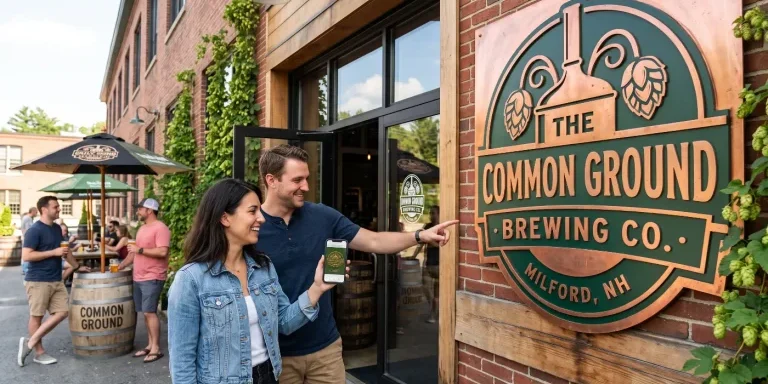
Brand Consistency: Make Your Site & Sign Match
Your website looks sharp. Your storefront sign looks fine. Your business cards came back a slightly different shade of blue than you remembered. Each one on its own seems like a small thing. Together, they cost you customers and money. Brand consistency is whether everything a customer sees from you looks and sounds like it…

Sustainable Promotional Products: A Buyer’s Reality Check
That recycled tote you ordered for the trade show has a problem. The product page called it eco-friendly, you felt good about the choice, and you moved on. Here is the uncomfortable part: when auditors actually test merchandise carrying self-declared green labels, close to half cannot back up the claim. The word on the page…
What Is AI Search Readiness and How Can Local Businesses Improve Visibility?
Your next lead may begin with an AI agent researching your company before a person ever visits your website or contacts your team. Google is expanding the ways its AI-powered Search tools can help people find and compare local providers. A customer can describe what they need, ask Google to research nearby businesses, and use…
Premium vs. Volume: Rethinking Your Promotional Products Budget
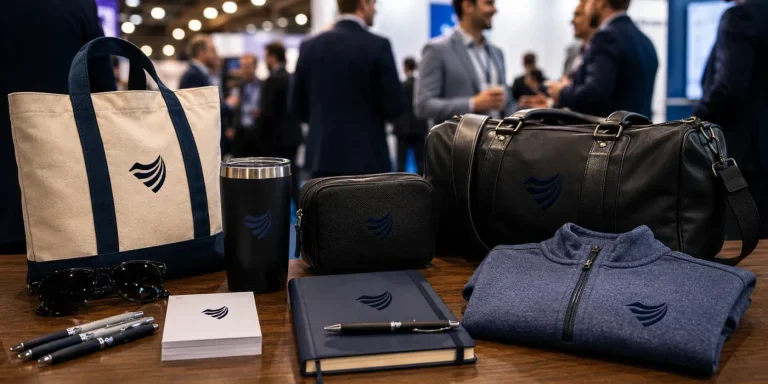
You order 500 pens for the trade show. They cost a little over a dollar each, they have your logo, and they feel like a responsible use of the budget. Three weeks later, most of them are in a junk drawer, a parking lot, or a trash can. A few never made it out of…

Holiday SEO Timeline: Why December Rankings Start in Summer
The businesses that dominate search results this December made their move back in July. Not out of habit. They moved early because search rewards steady, consistent work in a way that no last-minute push can replicate. Holiday SEO is not a campaign you switch on when the decorations come out. It is an advantage you…

Corporate Holiday Gifting Timeline: Why Q4 Planning Starts in July
Here is the part nobody tells you about corporate gifting: the best time to lock in your holiday program is right now, in July. Not October. Not “right after Halloween.” July. That sounds early enough to be a joke. It is not. The companies that run corporate gifting well, sending memorable and on-time gifts to…

Website Performance Audit: Why Q3 Beats Q4 Every Time
Your website traffic is about to drop. Vacations start, inboxes go quiet, and the steady hum of summer browsing replaces the urgency of buying season. Most businesses read that slowdown as a reason to coast. That is the expensive mistake. The quiet stretch from July through September is the best window all year to run…

Summer Foot Traffic: Win It With a Mobile-First Website
Picture a family on a sidewalk in Portsmouth on a Saturday in July. It is 86 degrees, the kids are hungry, and someone pulls out a phone and types “lunch near me.” Three places show up on the map. They tap the first one. If that site loads fast and the menu is right there,…

Modern Phishing Scams: What Smart Businesses Need to Know
The old advice for spotting a scam email no longer works. Watch for bad spelling, awkward grammar, and a generic greeting, and you were safe. That rule protected people for years. Modern phishing scams have erased every one of those tells. Attackers now write clean, personalized messages, hide their links inside images, and move the…

Branded Koozies and Sunglasses Aren’t Lazy: High-Yield Summer Promotional Products
Someone on your team just rolled their eyes at the idea of branded sunglasses. Too obvious. Too expected. Let’s do something clever instead, maybe a little desk gadget or a puzzle nobody asked for. That instinct feels smart. It usually costs you the campaign. Here’s the part most people miss: the “clever” item lives on…
Omnichannel Marketing Solutions
Merging creativity and technology for comprehensive brand experiences.

PIXELS
Harnessing digital platforms for impactful brand promotion and audience engagement through strategic touchpoints.

PROMOS
Making the intangible tangible through high-quality promotional items that echo your brand's voice and values.

PLACES
Transforming physical environments into powerful brand narratives that forge connections with everyone who enters your space.