
Website Security for Businesses: Your 2026 Survival Guide
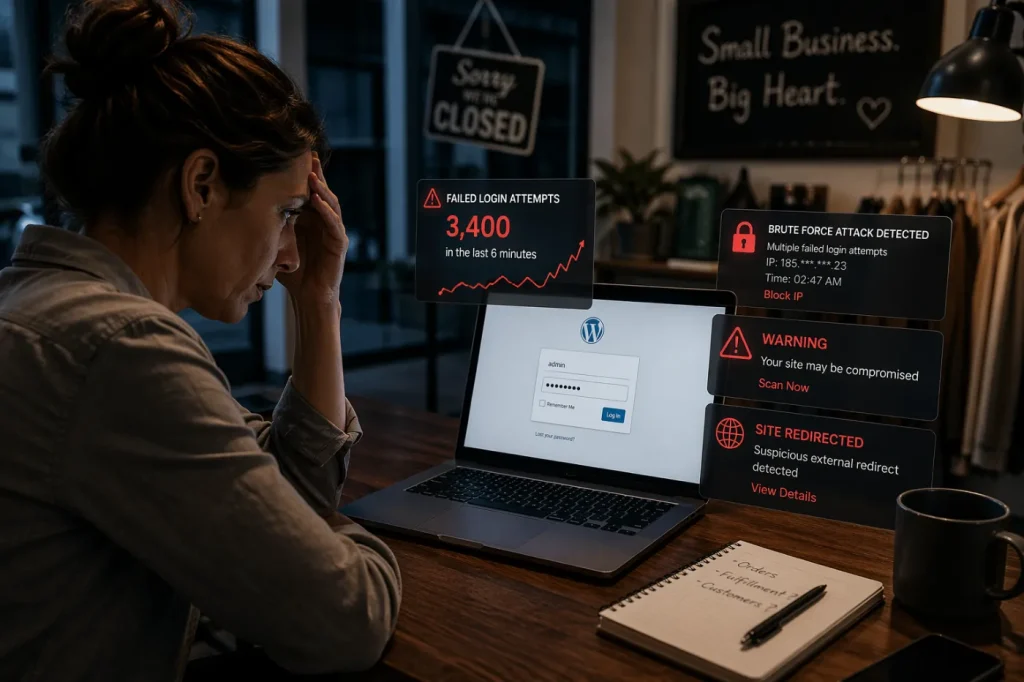
Picture this. At 2:47 on a Tuesday morning, a retailer in Portsmouth has 3,400 login attempts hit the admin page of her WordPress site in under six minutes. By 2:53, one of them works. By sunrise, her homepage is redirecting customers to a fake pharmaceutical site, her Google rankings have collapsed, and her payment processor has frozen her account pending a security review.
This scenario is hypothetical, but the pattern is not. Attacks exactly like this hit business websites across New Hampshire, Southern Maine, and the Boston metro every single night. She was not targeted. She was found. Automated bots scan the internet around the clock looking for exposed login pages, unpatched plugins, weak passwords, abandoned admin accounts, and outdated website code. Any site with all three is a matter of when, not if.
That is why business website security is no longer just an IT issue. It affects search visibility, customer trust, payment processing, data privacy, and the revenue you depend on from your site. Google can flag hacked or malware-infected pages in search results, which can turn a security issue into an SEO and brand trust problem almost overnight. Google’s own documentation confirms that security issues can include hacked content, phishing attacks, malware, and warning labels in search results or browsers.
Business website security is the single most underestimated risk in 2026. Your website is your most exposed asset, your most valuable marketing investment, and the easiest way for an attacker to reach your customers, your data, and your reputation in a single breach.
Why Your Website Is the First Thing Attackers Find?
Think about the layers of your business. Your internal network sits behind a firewall. Your email is protected by enterprise spam filters. Your financial software has its own authentication.
Your website sits on the open internet, 24 hours a day, with its login page advertised publicly at /wp-admin or /administrator. That makes it easier for automated bots to find, test, and attack before a human ever looks at your business.
There are more than 34 million small businesses in the United States, and most rely on platforms like WordPress, Shopify, Webflow, HubSpot CMS, or custom-built websites to generate leads, sell products, and manage customer interactions. As of late April 2026, W3Techs reports that WordPress powers 42.2% of all websites on the internet. The platforms themselves are generally secure. The real risk usually comes from how websites are maintained, hosted, updated, and monitored.
That matters because your website is not just a brochure. It is part of your digital marketing system, your lead funnel, your customer data layer, and often your payment or booking workflow. When security is weak, attackers do not need to “target” your company directly. They only need to find the same four predictable weak points.
web security — what to look for
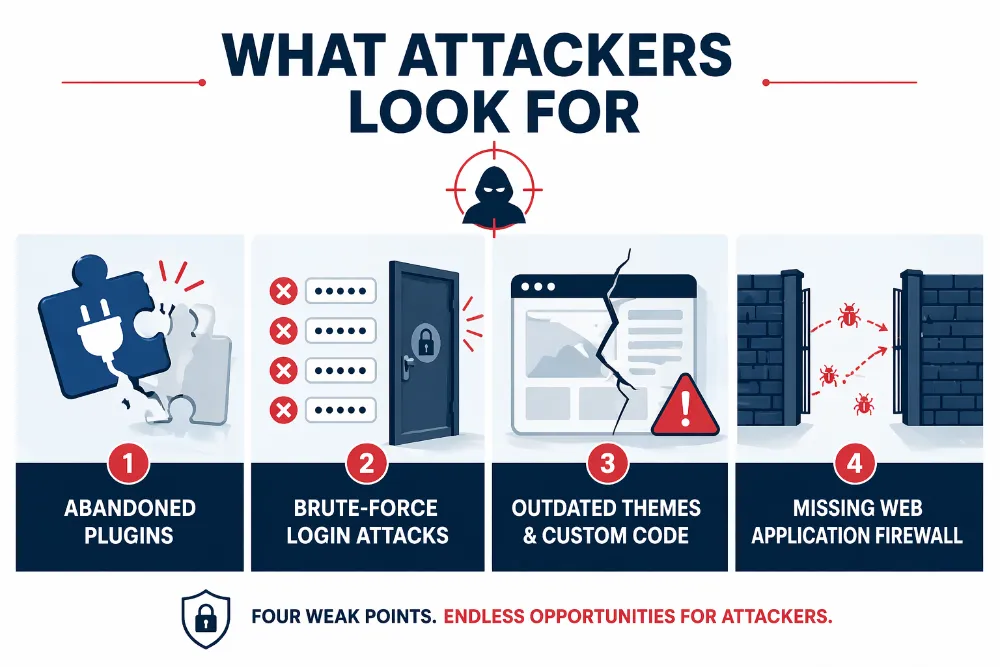
- Abandoned plugins – The average WordPress site often depends on multiple plugins for forms, SEO, analytics, eCommerce, popups, security, and page building. Each plugin is a third-party codebase with its own update cycle and vulnerability history. When a plugin is no longer maintained, it can become a quiet backdoor into the site.
- Brute-force login attacks – Automated bots hammer admin login pages with repeated username and password attempts. If your admin account uses a weak password, a reused password, your company name, or an old employee login, the attack does not need to be sophisticated.
- Outdated themes and custom code – Cheap themes purchased years ago, legacy page builders, and custom functions added by a developer who is no longer around can turn into security debt. These issues often sit unnoticed until a vulnerability scanner, botnet, or attacker finds them first.
- Missing web application firewall – Without a web application firewall, malicious requests like SQL injection, cross-site scripting, bad bots, fake form submissions, and suspicious login attempts can reach your site before anything blocks them. A WAF acts as a traffic filter between your website and the open internet.
What a Breach Actually Costs Your Business?
When your site gets hit, the headline damage isn’t what hurts most. The long tail is brutal: search visibility loss, payment disruption, customer data exposure, legal notification requirements, and reputation damage that can last long after the malware is removed.
- Google delisting – Search engines detect malware, hacked content, unsafe redirects, phishing pages, and other security issues that put users at risk. Once a site is flagged or blacklisted, visitors may see browser warnings before they even reach your homepage. Recovery can take weeks, and your organic traffic does not bounce back the day you fix it. You still have to clean the infection, close the vulnerability, request a review, and rebuild crawl trust. For businesses that depend on SEO visibility or local organic traffic, this can turn a technical security issue into a revenue problem.
- Payment processor freezes – Stripe, Square, and PayPal monitor merchant sites for fraud indicators, suspicious checkout behavior, unsafe redirects, and customer risk. A compromised site can trigger automatic holds on your account, often for 14 to 30 days, while they investigate. That means a website breach can quickly become a cash flow problem, especially if online payments, subscriptions, deposits, or ecommerce orders depend on that processor.
- Customer data exposure – If you collect any personal information, names, emails, phone numbers, payment details, account logins, form submissions, or booking data, a breach can create legal notification obligations in every state your customers live in. Massachusetts and New Hampshire both have strict data breach notification laws. Once customer data is exposed, the issue moves beyond website cleanup into data privacy and digital marketing risk, legal review, customer communication, and potential liability.
- Reputation loss – A customer who typed their credit card into your site while it was serving malware does not come back. And they tell others. Security warnings, spam redirects, fake checkout pages, and browser alerts damage trust fast because customers do not separate “website problem” from “business problem.” To them, an unsafe site means an unsafe brand.
Even a contained website compromise with no stolen data typically runs $15,000 to $40,000 in forensics, malware removal, emergency development, recovery, and lost revenue. That is a best-case scenario. If customer data actually gets exposed, the total cost for a business with fewer than 500 employees can climb to $3.31 million once you factor in legal fees, breach notifications, customer support, chargebacks, lost sales, and long-term reputation damage.
The Seven Moves That Actually Protect Your Site
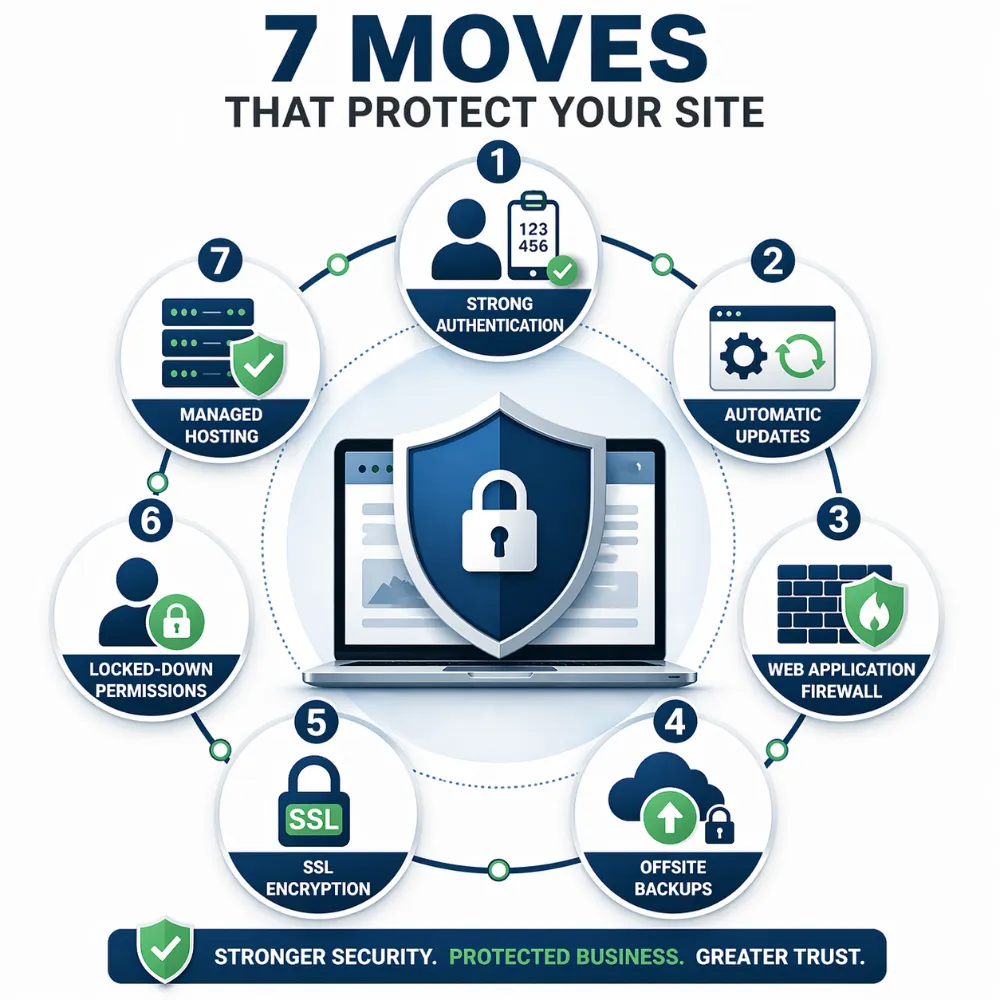
You do not need an enterprise security team to protect a business website. You need a disciplined baseline: strong authentication, regular updates, malware monitoring, clean backups, secure hosting, and controls that stop automated attacks before they reach your site.
These seven moves block the overwhelming majority of threats business websites face, from brute-force login attempts and plugin vulnerabilities to malware injections, fake form submissions, and server-level compromise.
7 Moves to Protect Your Site
1. Enforce Strong Authentication on Every Admin Account
This is not negotiable in 2026. Every administrator, editor, and contributor login should use two-factor authentication. Text-message codes are better than nothing, but app-based authentication through Google Authenticator, Authy, Microsoft Authenticator, or hardware security keys is stronger because attackers can intercept SMS codes through SIM-swapping.
While you are at it, audit your admin users. Most WordPress sites have at least one orphaned admin account from a former employee, old freelancer, agency, or developer who no longer touches the site. Delete unused accounts, reduce permissions where possible, and avoid giving full administrator access to users who only need to publish, edit, or review content.
2. Update Everything, Automatically
Your core platform, plugins, themes, form tools, page builders, payment extensions, and custom scripts all need to stay current. Most website breaches exploit vulnerabilities that were patched months before the attack, but the site owner never applied the update.
Enable automatic updates where your platform allows it, and schedule a monthly manual review for anything that needs compatibility testing. This is especially important for WordPress, where plugins often control contact forms, SEO, ecommerce, analytics, security, popups, and landing page functionality.
If a plugin has not been updated by its developer in over a year, replace it. Yes, this is genuinely annoying. Niche plugins rarely have a one-to-one replacement, and migrating can mean a weekend of testing and rebuilt functionality. Do it anyway. Abandoned code is not a feature. It is security debt that compounds silently until the day it does not.
3. Install a Web Application Firewall
A web application firewall (WAF) sits between the internet and your website, inspecting every incoming request and blocking malicious ones before they ever reach your server. Cloud-based options like Cloudflare, Sucuri, and Wordfence work at the DNS level, which means they also absorb DDoS attacks and bot traffic without slowing your site down.
This is probably the single highest-value security investment a business can make. Entry-level plans start at free (Cloudflare) or around $20 per month (Sucuri, Wordfence Premium).
4. Back Up With Versioning and Offsite Storage
If your site gets compromised, a clean backup is the difference between four hours of recovery and four weeks. The standard is 3-2-1: three copies of your site files and database, on two different types of storage, with at least one copy offsite.
In 2026, add a fourth requirement: immutable. Your backup must be cryptographically locked so that even if your hosting account gets breached, the attacker can’t delete or encrypt the backup. Most managed hosting providers now include immutable backup options.
Test a restore quarterly. A backup you’ve never actually restored from is a hope, not a safety net.
5. Use SSL Everywhere, and Check It Works
HTTPS is table stakes. Every page of your site should load over an encrypted connection, and your SSL certificate should auto-renew so you never have a lapse. Browsers now display aggressive warnings to visitors when they hit an insecure page, which kills conversions instantly.
Check your SSL configuration with a free tool like SSL Labs. A grade of A or better is the target.
6. Lock Down File Permissions and Disable What You Don’t Use
Most WordPress installations include features that many business websites never need. XML-RPC, file editing from the admin panel, directory browsing, unused user roles, old themes, inactive plugins, and overly permissive file permissions all create unnecessary attack surfaces.
A security plugin like Wordfence, Sucuri, or iThemes Security can handle some of this with one-click hardening. Be aware of the tradeoff, though. Security plugins can add load to every page request, which may hurt site speed and Core Web Vitals if they are poorly configured.
The better approach, when available, is handling these hardening measures at the server level. Managed hosting platforms can configure firewall rules, file permissions, malware scanning, access controls, and bot filtering at the infrastructure layer. That keeps your WordPress installation lean, fast, and less dependent on bulky plugin-based protection.
Security and performance should work together. A slow, overprotected site can still lose leads, rankings, and conversions. Brandit’s page on website development and hosting explains how hosting, performance, maintenance, and site structure work together.
7. Get on Managed Hosting Built for Security
Shared hosting at $4 a month might save you $30 this month and cost you $30,000 the first time your site gets breached. The risk is not just the server price. It is the lack of active monitoring, server-level hardening, malware scanning, automated backups, patch management, and responsive technical support when something goes wrong.
A secure dedicated hosting solution gives your website a stronger foundation: firewall rules, SSL management, access controls, malware detection, backup protection, and performance tuning handled at the infrastructure level instead of relying only on plugins inside WordPress.
Managed hosting platforms like WP Engine, Kinsta, Flywheel, and regional providers can reduce everyday website security risk by handling server updates, vulnerability monitoring, automatic backups, staging environments, and support from teams that understand zero-day vulnerabilities, brute-force login attacks, malware cleanup, and uptime protection.
The difference is not just features. It is knowing who is responsible when something breaks, who checks the alerts, who restores the backup, and who picks up the phone when your business website goes down at 3 AM.
The CMS Decision That Quietly Determines Your Risk
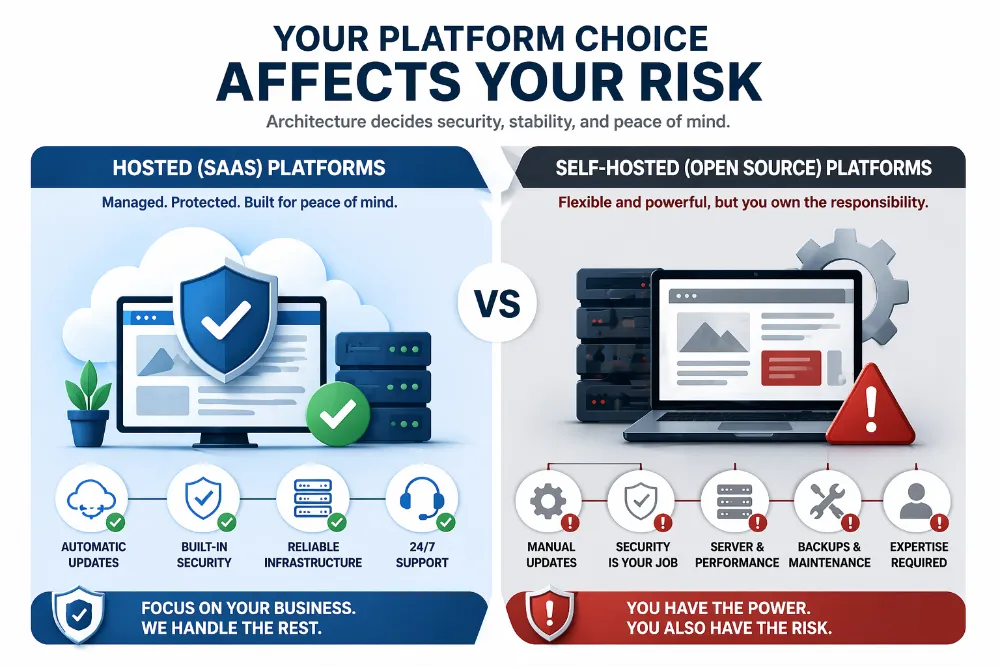
If you are choosing a platform or considering a migration, the architectural decision matters more than most business owners realize. Your CMS does not just affect design flexibility, page editing, or marketing workflows. It also determines who is responsible for security updates, server hardening, uptime monitoring, backups, plugin risk, and incident response.
- Shopify, Webflow, and HubSpot CMS are hosted SaaS platforms. Security updates, server hardening, and infrastructure protection are the platform’s responsibility, not yours. For organizations without dedicated technical staff, this drastically reduces the attack surface you have to manage.
- WordPress and Joomla are self-hosted and open source. You get maximum flexibility and control. You also inherit full responsibility for security, updates, and incident response. This is the right choice for many businesses, but only if someone is actively managing it.
This is where the choice between hosted SaaS, open-source CMS, and custom development becomes a business risk decision, not just a web design decision. A flexible site that is not maintained can become more dangerous than a simpler platform with stronger default security. For a deeper comparison, see Brandit’s guide on WordPress vs custom development.
There is no wrong answer here. There is only an unmanaged answer, which is the wrong one.
The Managed Hosting Advantage
Here’s where we show our hand. Brandit provides managed WordPress hosting for businesses across New Hampshire, Southern Maine, and Metro Boston, and business website security is the reason we built the service the way we did.
Every site we host gets enterprise-grade server security, SSL management, caching, proactive security monitoring, WordPress core and plugin updates tested in staging before they go live, and real humans who answer when something breaks. Backups are automated. Firewalls are configured with Immunify 360 from day one. The goal is simple: your website stays secure, fast, and current while you focus on running your business.
We do this because most business website breaches are preventable. The technology exists. The hard part is making sure someone is actually paying attention, applying updates on schedule, and responding fast when anomalies appear. That’s what managed care is.
What Should You Do This Week?
In a scenario like the one at the top of this article, the aftermath typically looks something like this: four days getting the site cleaned, another week getting relisted on Google, and three weeks getting the payment processor to release the account. Every one of those weeks, revenue is zero. We’ve watched businesses live through some version of this timeline more than once.
The total cost of the things that would have prevented it — MFA, a WAF, clean backups, and a managed hosting plan — is less than many businesses spend on a single month of Google Ads or paid search. If your website already supports your digital marketing, lead generation, online sales, or local visibility, security is part of protecting that investment.
If you run a business website, start here. Turn on two-factor authentication for every admin account today. Check when your plugins were last updated, and remove anything that hasn’t been touched in a year. Install a web application firewall this week, Cloudflare’s free tier is a reasonable first move. Verify your backups actually exist, and actually work, and are actually offsite.
Not sure what your current website security posture looks like? We run free website audits for businesses across New Hampshire, Southern Maine, and Metro Boston. We’ll tell you what’s at risk, what’s solid, and what to fix first, in plain English. Call 603.645.2500 or reach out through the site.
Your website is your storefront, your lead generator, and your brand’s public face. Treat it like all three.
Ready to Take Your Brand Beyond Ordinary?
Your marketing shouldn’t just exist. It should perform. If you’re done settling for “good enough,” let’s build something impossible to ignore. Brandit helps you connect every digital, physical, and promotional touchpoint into one unstoppable brand experience.
Real Results,
Real Reactions
What Our Clients Say

"I sent out three bids for my marketing needs for this year and Brandit was the most responsive and provided great ideas. One company I reached out hadn't even gotten back to me while the other wasn't even close to being comparable to Brandit's creativity, pricing and service."
"I have used Brandit for several projects and they always come through with fantastic pricing and customer service. I highly recommend them."
Southern New Hampshire University

"Thanks to Brandit's generous contribution to the Big Ideas for Building Independence Capital Campaign, Easterseals NH is now better able to serve people with disabilities or special needs. With your support, we raised nearly $2.6 million for renovations to our headquarters."
"It has been an incredible journey! We couldn't have done it without you, and wish to take this opportunity to thank you and your team at Brandit Marketing Solutions for all that you have done and your generous donation."
Easterseals, NH

"Bringing Brandit Marketing Solutions into the CMC-fold is the best thing and most appreciative thing I've done since being at the Hospital."
Catholic Medical Center
"Exceptional does not even begin to cover the work that these people do. I have worked closely with other marketing firms and Brandit tops them every time. From innovative ideas to customer service that rivals the best of the best. I just couldn't speak more highly of them."
Southern New Hampshire University

"The Granite Group, headquartered in Concord, NH, distributes plumbing, heating, cooling, water and propane supplies to contractors and fuel dealers across New England through over 45 wholesale branches and their Online Store. The company also operates 15 retail showrooms under The Ultimate Bath Store name.
Brandit is pleased to say that we have been working with the Granite Group for over ten years which happens to be almost as long as this company has been in existence. In 2020, TGG was named one of New Hampshire's best places to work."
The Granite Group
10+ Year Partnership

"Over my long career, I have been in a position where I have worked closely with numerous vendors/suppliers. I can honestly say that I have never engaged with a company that is as amazing and responsive as Brandit."
"A sincere thanks to the team for the hustle on getting our shirts and tradeshow materials done for our group! You really relieved our pressure and I know it wasn't an easy task. Your effort and turnaround time was and is appreciated. Believe me when I say that I do not take for granted the relationship we have built over the years. Your service is top notch."
C&S Wholesale Grocers

"For almost a decade, the team at Brandit delivered successful and effective marketing solutions, spearheaded the merchandising of the FIRST brand by creating one-of-a-kind products, built, hosted, and managed their very first ecommerce store supporting all programs, staff, partners, sponsors, teams, and customers globally.
In addition, Brandit set up and managed multiple on-site retail stores at their premier Championship events where we serviced over 65,000 attendees. Today we provide web services as well as branded merchandise for regional partners".
FIRST Robotics

"The Brandit Marketing Solutions Ltd Team is wonderful to work with and we appreciate what they do to make us look good! They have expanded their services in recent years to meet whatever marketing needs you may have…from apparel and giveaway items to video and web services to graphic design and printing services, even graphic enhancements for your interior/exterior office space."
"I have worked with this team since the founding of their company and look forward to many more years of working together!"
Boys & Girls Club of Manchester

"The Brandit team is a talented group of creative professionals that I've worked with for years. Top notch!"
Art Murphy
Our Insights
.

Brand Consistency: Make Your Site & Sign Match
Your website looks sharp. Your storefront sign looks fine. Your business cards came back a slightly different shade of blue than you remembered. Each one on its own seems like a small thing. Together, they cost you customers and money. Brand consistency is whether everything a customer sees from you looks and sounds like it…

Sustainable Promotional Products: A Buyer’s Reality Check
That recycled tote you ordered for the trade show has a problem. The product page called it eco-friendly, you felt good about the choice, and you moved on. Here is the uncomfortable part: when auditors actually test merchandise carrying self-declared green labels, close to half cannot back up the claim. The word on the page…

What Is AI Search Readiness and How Can Local Businesses Improve Visibility?
Your next lead may begin with an AI agent researching your company before a person ever visits your website or contacts your team. Google is expanding the ways its AI-powered Search tools can help people find and compare local providers. A customer can describe what they need, ask Google to research nearby businesses, and use…
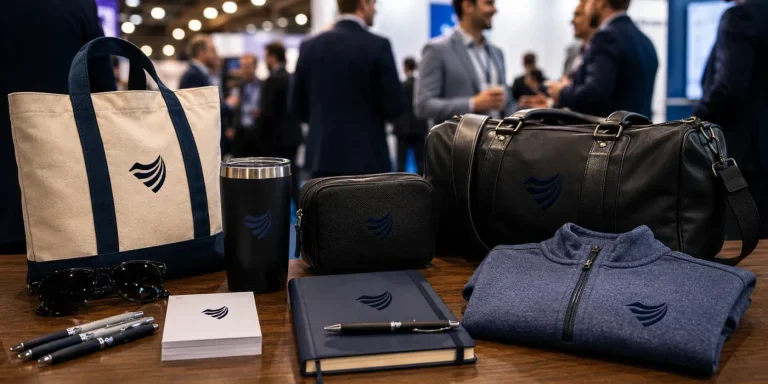
Premium vs. Volume: Rethinking Your Promotional Products Budget
You order 500 pens for the trade show. They cost a little over a dollar each, they have your logo, and they feel like a responsible use of the budget. Three weeks later, most of them are in a junk drawer, a parking lot, or a trash can. A few never made it out of…

Holiday SEO Timeline: Why December Rankings Start in Summer
The businesses that dominate search results this December made their move back in July. Not out of habit. They moved early because search rewards steady, consistent work in a way that no last-minute push can replicate. Holiday SEO is not a campaign you switch on when the decorations come out. It is an advantage you…

Corporate Holiday Gifting Timeline: Why Q4 Planning Starts in July
Here is the part nobody tells you about corporate gifting: the best time to lock in your holiday program is right now, in July. Not October. Not “right after Halloween.” July. That sounds early enough to be a joke. It is not. The companies that run corporate gifting well, sending memorable and on-time gifts to…

Website Performance Audit: Why Q3 Beats Q4 Every Time
Your website traffic is about to drop. Vacations start, inboxes go quiet, and the steady hum of summer browsing replaces the urgency of buying season. Most businesses read that slowdown as a reason to coast. That is the expensive mistake. The quiet stretch from July through September is the best window all year to run…

Summer Foot Traffic: Win It With a Mobile-First Website
Picture a family on a sidewalk in Portsmouth on a Saturday in July. It is 86 degrees, the kids are hungry, and someone pulls out a phone and types “lunch near me.” Three places show up on the map. They tap the first one. If that site loads fast and the menu is right there,…

Modern Phishing Scams: What Smart Businesses Need to Know
The old advice for spotting a scam email no longer works. Watch for bad spelling, awkward grammar, and a generic greeting, and you were safe. That rule protected people for years. Modern phishing scams have erased every one of those tells. Attackers now write clean, personalized messages, hide their links inside images, and move the…

Branded Koozies and Sunglasses Aren’t Lazy: High-Yield Summer Promotional Products
Someone on your team just rolled their eyes at the idea of branded sunglasses. Too obvious. Too expected. Let’s do something clever instead, maybe a little desk gadget or a puzzle nobody asked for. That instinct feels smart. It usually costs you the campaign. Here’s the part most people miss: the “clever” item lives on…
Omnichannel Marketing Solutions
Merging creativity and technology for comprehensive brand experiences.
PIXELS
Harnessing digital platforms for impactful brand promotion and audience engagement through strategic touchpoints.

PROMOS
Making the intangible tangible through high-quality promotional items that echo your brand's voice and values.

PLACES
Transforming physical environments into powerful brand narratives that forge connections with everyone who enters your space.