
WordPress vs Custom Development: Which Is Right for Your Business in 2026?
Which Platform Powers Your Business Goals in 2026?
Your website is the foundation of your digital presence. It’s where customers find you, learn about your services, and decide whether to do business with you. So when it’s time to build or rebuild that foundation, one question keeps coming up: Should you use WordPress, or invest in custom development?
It’s not a simple answer. Both paths lead to professional websites, but they take very different routes to get there. The right choice depends on your business goals, budget, technical resources, and how you plan to grow.
This guide breaks down the real differences. Not the technical jargon, but what actually matters for your business: what each option costs, how they perform, what risks you’re taking, and how to decide which one fits your situation.
The Core Difference: Flexibility vs. Control
WordPress powers roughly 43% of all websites on the internet. That’s not an accident. The platform offers an ecosystem of themes, plugins, and tools that let businesses launch professional sites quickly and affordably. Marketing teams can update content without touching code. Thousands of developers specialize in the platform, making support readily available.
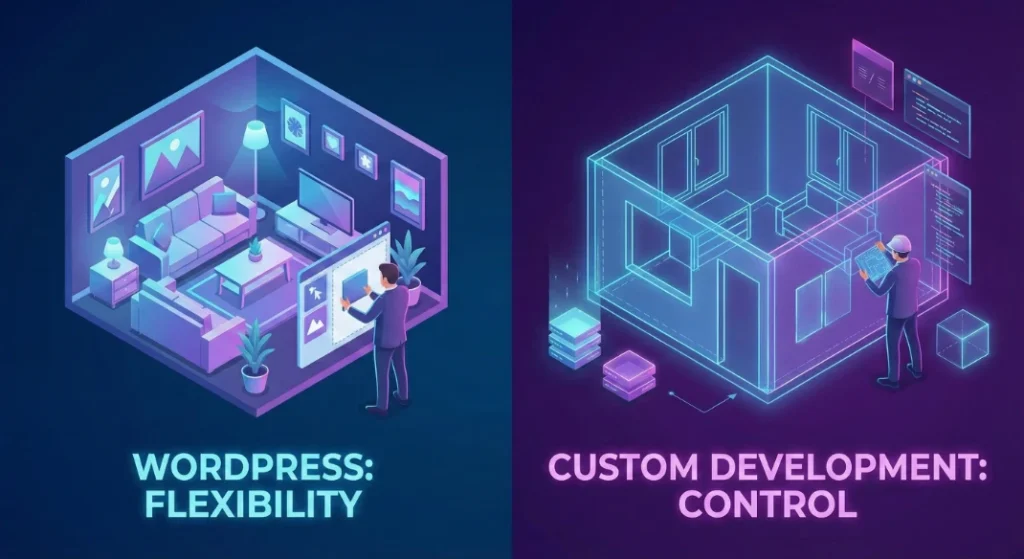
Custom development takes a fundamentally different approach. Instead of working within an existing framework, developers build exactly what your business needs from the ground up. This means choosing specific technologies, databases, and architectures designed for your particular requirements.
Think of it this way: WordPress is like moving into a well-designed apartment building. The infrastructure exists. You choose finishes and furniture. Custom development is like hiring an architect to design a house from scratch. You get exactly what you want, but you’re responsible for every decision.
What WordPress Does Well
Speed to Market
A professional WordPress site can launch in weeks. Custom development typically takes months. When you need a web presence quickly, or you’re testing a new business concept, WordPress delivers.
Content Management Excellence
WordPress was born as a content platform. Twenty years of refinement means the editing experience is polished and intuitive. Marketing teams can add blog posts, update service pages, and manage media libraries without developer involvement. This independence matters for businesses that publish content regularly.
SEO Built Into the Foundation
Plugins like Yoast and RankMath have turned WordPress into an SEO powerhouse. These tools handle technical optimization, content analysis, schema markup, and sitemaps. Google understands WordPress site structure well, which helps with indexing and rankings.
Accessible Talent Pool
WordPress developers are everywhere. Hourly rates typically range from $20 to $50, significantly lower than full-stack developers commanding $100 to $150 per hour. If your current developer disappears, finding a replacement is straightforward.
What Custom Development Does Well
Performance Without Compromise
Modern JavaScript frameworks like Next.js routinely achieve page load times under one second. WordPress sites, even optimized ones, typically load in two to four seconds. When Google uses page speed as a ranking factor and users abandon slow sites, this difference matters.
Custom code doesn’t carry bloat. Every line serves a purpose. WordPress sites often load jQuery, multiple font files, and CSS from every active plugin, whether needed on that page or not.
Scalability for High-Traffic Environments
WordPress scales well for content-heavy, read-focused websites. But when your site handles high transaction volumes, user sessions, real-time data, or complex interactions, the architecture shows its limits.
Node.js applications use an event-driven model that handles thousands of concurrent connections efficiently. For applications that need to do more than serve content, custom development provides a much higher performance ceiling.
Database Architecture That Fits Your Data
WordPress stores everything in a flexible but inefficient structure. Every piece of custom data (product prices, SEO fields, custom attributes) becomes a separate row in a meta table. This flexibility creates performance bottlenecks as data grows.
Custom applications create database structures designed for specific data. A product table with dedicated columns for price and SKU queries exponentially faster than searching through millions of meta rows.
Security Through Obscurity
Custom applications present a smaller attack surface. Vulnerabilities in your code are unique to your system. Attackers can’t use automated scanners designed for WordPress to find weaknesses.
The Security Reality
Security deserves its own discussion because the difference between platforms is significant.
In 2024 alone, nearly 8,000 new WordPress vulnerabilities were disclosed, a 34% increase from the previous year. The vast majority, about 96%, come from third-party plugins and themes rather than the WordPress core.
Here’s the structural problem: WordPress’s power comes from its plugin ecosystem, but that ecosystem is a security liability. A site owner installs a plugin for a minor feature and unknowingly introduces a vulnerability. Worse, 35% of disclosed vulnerabilities remained unpatched into the following year.
Custom development doesn’t eliminate security risks. Developers can still write vulnerable code. But custom applications don’t share known vulnerabilities with millions of other sites. When a WordPress plugin flaw goes public, automated bots exploit it within hours across the entire internet.
Enterprise WordPress deployments require strict plugin allowlists, regular security audits, and vigilant monitoring. This adds cost and complexity that many businesses don’t anticipate.
The Real Cost Equation
Comparing costs between WordPress and custom development isn’t as simple as comparing build quotes.
Initial Investment
A professional WordPress build typically costs $2,000 to $15,000. Custom web applications start around $30,000 and can easily exceed $100,000 for complex functionality.
That initial gap is real. But it doesn’t tell the whole story.
Ongoing Costs
WordPress sites accumulate recurring expenses: premium plugin licenses (often annual subscriptions), managed hosting fees that increase with traffic, and maintenance retainers to manage updates and resolve conflicts.
An e-commerce site might need subscriptions ($199/year), memberships ($299/year), advanced shipping ($129/year), and various other premium plugins. These costs add up.
Custom applications have different cost patterns. They don’t require plugin subscriptions. Hosting costs often scale more linearly with actual usage. But they require higher-cost developers when changes are needed.
The Maintenance Reality
WordPress requires constant attention. Skipping updates creates security vulnerabilities. Applying updates can break functionality. Most WordPress sites need a maintenance retainer of $100 to $2,000+ monthly.
Custom software doesn’t break itself through automatic updates. A well-built custom application can run stably for years without major intervention. But when changes are needed, the cost per hour is higher.
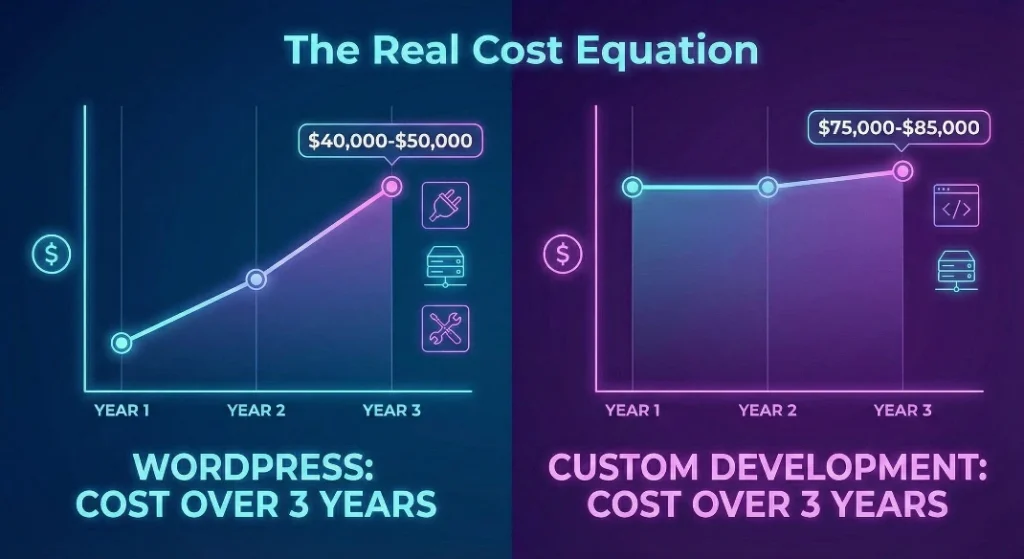
Three-Year Cost Comparison
| Cost Category | WordPress | Custom Dev |
|---|---|---|
| Initial Build | $15,000 | $60,000 |
| Annual Hosting | $1,200 | $600 |
| Annual Maintenance | $3,600 | $1,200 |
| Plugin/SaaS Licenses | $1,500/yr | $500/yr |
| Upgrades (Yr 2-3) | $5,000 | $10,000 |
| 3-Year Total | $40,000-$50,000 | $75,000-$85,000 |
The Middle Path: Headless WordPress
Headless WordPress has emerged as a hybrid approach worth considering. In this architecture, WordPress handles content management while a separate front-end application (built with React, Next.js, or similar) handles display.
The appeal: marketing teams keep the WordPress dashboard they know. Developers get the performance benefits of modern JavaScript frameworks. Sites can achieve sub-second load times while maintaining content management ease.
The reality: headless introduces significant complexity. The visual editing experience breaks. Marketing teams lose page builders and theme customizers. Simple tasks like adding a contact form become engineering projects.
You’re also running two hosting environments instead of one, with a more complex deployment pipeline. For organizations with strong development resources, this can work well. For smaller teams, the operational overhead often outweighs the benefits.
Making the Right Choice for Your Business
The decision comes down to honest assessment of your situation.
Choose WordPress When
- Your primary goal is content management and marketing agility
- Time to market is critical (you need to launch in weeks, not months)
- Your budget for initial development is under $20,000
- Your site is primarily content-focused with standard functionality
- Your team is marketing-led and non-technical
- SEO through content is your primary growth strategy
Choose Custom Development When
- Your website needs unique application logic or complex functionality
- Performance is a competitive advantage (speed directly affects revenue)
- You’re building a digital product, not just a digital presence
- Security and compliance requirements are stringent
- You have access to engineering talent (in-house or contracted)
- You expect high transaction volumes or concurrent users
Quick Decision Matrix
| Factor | WordPress | Custom |
|---|---|---|
| Time to Launch | 2-6 weeks | 3-6+ months |
| Content Editing | Excellent | Requires building |
| Performance Ceiling | Moderate | Very High |
| Security Risk Profile | Higher (plugins) | Lower |
| Developer Availability | Very High | Moderate |
| Long-term Flexibility | Bounded | Unlimited |
The Escape Hatch Strategy
Here’s a pragmatic approach for businesses unsure of their trajectory: start with WordPress.
Use WordPress to validate your market and generate revenue. The low initial cost lets you test your business concept without massive upfront investment. If the business succeeds and outgrows the platform, use the revenue to fund a migration to custom architecture.
This isn’t settling. It’s strategic. Many successful companies launched on WordPress before investing in custom platforms. Migration paths are well-documented. You’re not locked in forever.
The alternative, spending $100,000 on custom development for an unproven concept, carries much higher risk. Better to prove the business first.
Questions to Ask Before Deciding
Before committing to either path, answer these honestly:
- What does my website actually need to do? If the answer is ‘display information and generate leads,’ WordPress handles that well. If the answer involves complex user interactions or data processing, custom development deserves serious consideration.
- Who will maintain this? If you don’t have technical staff, WordPress’s ecosystem of support and available talent provides a safety net. Custom applications require ongoing access to capable developers.
- How will this scale? Be honest about growth projections. WordPress handles most small to medium business traffic fine. But if you’re building the next high-traffic platform, you’ll hit walls.
- What’s my real budget? Include three years of maintenance, hosting, and plugins in WordPress calculations. Include potential developer turnover costs for custom builds. The full picture often changes the math.
- How critical is speed? Both to market and page load. If you need to launch next month, WordPress is your answer. If sub-second performance is a competitive requirement, custom development delivers it more reliably.
The Bottom Line
WordPress and custom development aren’t competing philosophies. They’re different tools for different situations.
WordPress remains the right choice for organizations prioritizing marketing velocity, content management, and cost-effective entry. It’s pragmatic for the 90% of businesses whose primary digital need is informing and converting users through content.
Custom development is the right choice when the digital experience IS the product. When complex state management, real-time processing, or unique workflows are required, the initial savings of WordPress erode quickly through technical limitations and workarounds.
The most successful digital strategies align architecture with business trajectory. Not just where you are today, but where you’re going.
Ready to Build Your Digital Foundation?
Brandit’s PIXELS team has built hundreds of websites across both platforms. We help businesses assess their real needs and build solutions that support growth rather than constrain it.
Whether you need a WordPress site that’s optimized for performance and security, or a custom application that handles complex business logic, we can help you make the right choice and execute it well.
Contact us at 603.645.2500 or visit BranditMS.com to discuss your project.
About Brandit Marketing Solutions
Brandit Marketing Solutions delivers integrated marketing success through three pillars: PIXELS (digital marketing), PLACES (environmental branding), and PROMOS (promotional products). With 50+ years of experience serving businesses across New Hampshire, Southern Maine, and the Greater Boston market, we help organizations build and execute marketing strategies that drive measurable results.
- The Core Difference: Flexibility vs. Control
- What WordPress Does Well
- Speed to Market
- Content Management Excellence
- SEO Built Into the Foundation
- Accessible Talent Pool
- What Custom Development Does Well
- Performance Without Compromise
- Scalability for High-Traffic Environments
- Database Architecture That Fits Your Data
- Security Through Obscurity
- The Security Reality
- The Real Cost Equation
- Initial Investment
- Ongoing Costs
- The Maintenance Reality
- Three-Year Cost Comparison
- The Middle Path: Headless WordPress
- Making the Right Choice for Your Business
- Choose WordPress When
- Choose Custom Development When
- Quick Decision Matrix
- The Escape Hatch Strategy
- Questions to Ask Before Deciding
- The Bottom Line
- Ready to Build Your Digital Foundation?
Ready to Take Your Brand Beyond Ordinary?
Your marketing shouldn’t just exist. It should perform. If you’re done settling for “good enough,” let’s build something impossible to ignore. Brandit helps you connect every digital, physical, and promotional touchpoint into one unstoppable brand experience.
Real Results,
Real Reactions
What Our Clients Say

"I sent out three bids for my marketing needs for this year and Brandit was the most responsive and provided great ideas. One company I reached out hadn't even gotten back to me while the other wasn't even close to being comparable to Brandit's creativity, pricing and service."
"I have used Brandit for several projects and they always come through with fantastic pricing and customer service. I highly recommend them."
Southern New Hampshire University

"Thanks to Brandit's generous contribution to the Big Ideas for Building Independence Capital Campaign, Easterseals NH is now better able to serve people with disabilities or special needs. With your support, we raised nearly $2.6 million for renovations to our headquarters."
"It has been an incredible journey! We couldn't have done it without you, and wish to take this opportunity to thank you and your team at Brandit Marketing Solutions for all that you have done and your generous donation."
Easterseals, NH

"Bringing Brandit Marketing Solutions into the CMC-fold is the best thing and most appreciative thing I've done since being at the Hospital."
Catholic Medical Center
"Exceptional does not even begin to cover the work that these people do. I have worked closely with other marketing firms and Brandit tops them every time. From innovative ideas to customer service that rivals the best of the best. I just couldn't speak more highly of them."
Southern New Hampshire University

"The Granite Group, headquartered in Concord, NH, distributes plumbing, heating, cooling, water and propane supplies to contractors and fuel dealers across New England through over 45 wholesale branches and their Online Store. The company also operates 15 retail showrooms under The Ultimate Bath Store name.
Brandit is pleased to say that we have been working with the Granite Group for over ten years which happens to be almost as long as this company has been in existence. In 2020, TGG was named one of New Hampshire's best places to work."
The Granite Group
10+ Year Partnership

"Over my long career, I have been in a position where I have worked closely with numerous vendors/suppliers. I can honestly say that I have never engaged with a company that is as amazing and responsive as Brandit."
"A sincere thanks to the team for the hustle on getting our shirts and tradeshow materials done for our group! You really relieved our pressure and I know it wasn't an easy task. Your effort and turnaround time was and is appreciated. Believe me when I say that I do not take for granted the relationship we have built over the years. Your service is top notch."
C&S Wholesale Grocers
"For almost a decade, the team at Brandit delivered successful and effective marketing solutions, spearheaded the merchandising of the FIRST brand by creating one-of-a-kind products, built, hosted, and managed their very first ecommerce store supporting all programs, staff, partners, sponsors, teams, and customers globally.
In addition, Brandit set up and managed multiple on-site retail stores at their premier Championship events where we serviced over 65,000 attendees. Today we provide web services as well as branded merchandise for regional partners".
FIRST Robotics

"The Brandit Marketing Solutions Ltd Team is wonderful to work with and we appreciate what they do to make us look good! They have expanded their services in recent years to meet whatever marketing needs you may have…from apparel and giveaway items to video and web services to graphic design and printing services, even graphic enhancements for your interior/exterior office space."
"I have worked with this team since the founding of their company and look forward to many more years of working together!"
Boys & Girls Club of Manchester

"The Brandit team is a talented group of creative professionals that I've worked with for years. Top notch!"
Art Murphy
Our Insights
.
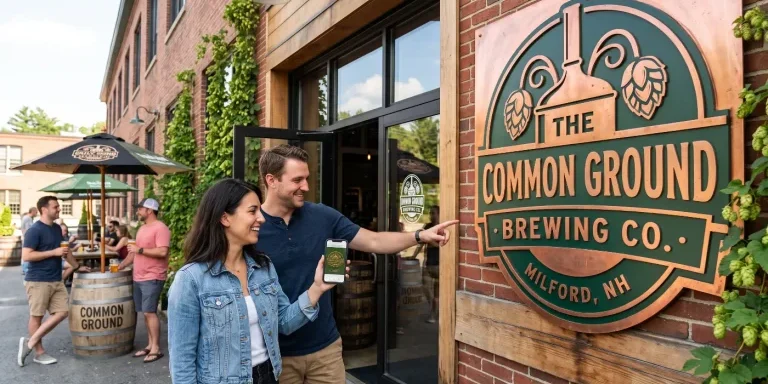
Brand Consistency: Make Your Site & Sign Match
Your website looks sharp. Your storefront sign looks fine. Your business cards came back a slightly different shade of blue than you remembered. Each one on its own seems like a small thing. Together, they cost you customers and money. Brand consistency is whether everything a customer sees from you looks and sounds like it…

Sustainable Promotional Products: A Buyer’s Reality Check
That recycled tote you ordered for the trade show has a problem. The product page called it eco-friendly, you felt good about the choice, and you moved on. Here is the uncomfortable part: when auditors actually test merchandise carrying self-declared green labels, close to half cannot back up the claim. The word on the page…
What Is AI Search Readiness and How Can Local Businesses Improve Visibility?
Your next lead may begin with an AI agent researching your company before a person ever visits your website or contacts your team. Google is expanding the ways its AI-powered Search tools can help people find and compare local providers. A customer can describe what they need, ask Google to research nearby businesses, and use…
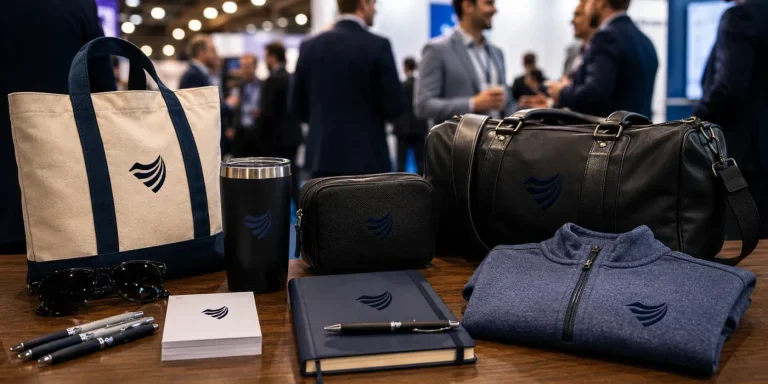
Premium vs. Volume: Rethinking Your Promotional Products Budget
You order 500 pens for the trade show. They cost a little over a dollar each, they have your logo, and they feel like a responsible use of the budget. Three weeks later, most of them are in a junk drawer, a parking lot, or a trash can. A few never made it out of…

Holiday SEO Timeline: Why December Rankings Start in Summer
The businesses that dominate search results this December made their move back in July. Not out of habit. They moved early because search rewards steady, consistent work in a way that no last-minute push can replicate. Holiday SEO is not a campaign you switch on when the decorations come out. It is an advantage you…

Corporate Holiday Gifting Timeline: Why Q4 Planning Starts in July
Here is the part nobody tells you about corporate gifting: the best time to lock in your holiday program is right now, in July. Not October. Not “right after Halloween.” July. That sounds early enough to be a joke. It is not. The companies that run corporate gifting well, sending memorable and on-time gifts to…

Website Performance Audit: Why Q3 Beats Q4 Every Time
Your website traffic is about to drop. Vacations start, inboxes go quiet, and the steady hum of summer browsing replaces the urgency of buying season. Most businesses read that slowdown as a reason to coast. That is the expensive mistake. The quiet stretch from July through September is the best window all year to run…

Summer Foot Traffic: Win It With a Mobile-First Website
Picture a family on a sidewalk in Portsmouth on a Saturday in July. It is 86 degrees, the kids are hungry, and someone pulls out a phone and types “lunch near me.” Three places show up on the map. They tap the first one. If that site loads fast and the menu is right there,…

Modern Phishing Scams: What Smart Businesses Need to Know
The old advice for spotting a scam email no longer works. Watch for bad spelling, awkward grammar, and a generic greeting, and you were safe. That rule protected people for years. Modern phishing scams have erased every one of those tells. Attackers now write clean, personalized messages, hide their links inside images, and move the…

Branded Koozies and Sunglasses Aren’t Lazy: High-Yield Summer Promotional Products
Someone on your team just rolled their eyes at the idea of branded sunglasses. Too obvious. Too expected. Let’s do something clever instead, maybe a little desk gadget or a puzzle nobody asked for. That instinct feels smart. It usually costs you the campaign. Here’s the part most people miss: the “clever” item lives on…
Omnichannel Marketing Solutions
Merging creativity and technology for comprehensive brand experiences.
PIXELS
Harnessing digital platforms for impactful brand promotion and audience engagement through strategic touchpoints.

PROMOS
Making the intangible tangible through high-quality promotional items that echo your brand's voice and values.

PLACES
Transforming physical environments into powerful brand narratives that forge connections with everyone who enters your space.