

Website Accessibility Compliance: Legal Requirements and Best Practices for 2026
If your business has a website, 2026 brings a new reality you need to understand. The rules around website accessibility have shifted from “nice to have” to “legally required” for many organizations. What was once voluntary guidance has become a compliance mandate with real deadlines, real enforcement, and real consequences for businesses that fall behind.
This isn’t about checking a box or avoiding lawsuits (though those matter). It’s about ensuring everyone can use your website, including the 61 million adults in the U.S. living with disabilities. When your site works for them, it works better for everyone.
Here’s what business owners in New Hampshire, Southern Maine, and the Greater Boston area need to know about website accessibility compliance right now.
The Legal Landscape Has Changed
For years, businesses operated in a gray area when it came to digital accessibility. The Americans with Disabilities Act (ADA) was written before the internet became central to commerce, and courts disagreed about how it applied to websites. That ambiguity is disappearing fast.
What Changed for Government and Public Entities
In April 2024, the Department of Justice issued a Final Rule under Title II of the ADA. For the first time, federal regulators spelled out exactly what web accessibility means for state and local governments: conformance with WCAG 2.1 Level AA. That’s a specific technical standard we’ll explain below.
If you work with government agencies, provide services to municipalities, or run a public-sector organization, these deadlines matter:
- Large public entities (population 50,000+): April 24, 2026
- Small public entities (under 50,000): April 26, 2027
- Special districts (water, transit, etc.): April 26, 2027
These aren’t suggestions. They’re hard deadlines with enforcement mechanisms behind them.
What This Means for Private Businesses
Private businesses don’t have a specific federal regulation (yet), but that hasn’t stopped litigation. In the first half of 2025 alone, plaintiffs filed over 2,000 accessibility lawsuits. The year-end projection is nearly 5,000 cases, representing a 20% increase over 2024.
New York leads the pack, accounting for over 31% of all filings, with Florida and California close behind. E-commerce sites are the primary targets, making up 69% of all lawsuits.
A February 2025 court ruling made the legal landscape even clearer. In Frost v. Lion Brand Yarn Company, a Minnesota court explicitly rejected the idea that online-only businesses are exempt from the ADA. The judge stated that a website “is not meaningfully different from a physical ‘shopping center'” when it comes to accessibility requirements.
Translation: if you sell products or services online, you’re expected to make your site accessible, whether you have a physical storefront or not.
Understanding WCAG: The Technical Standard
WCAG stands for Web Content Accessibility Guidelines. These guidelines, developed by the World Wide Web Consortium (W3C), define what makes a website accessible. When courts and regulators talk about accessibility compliance, they’re typically referencing WCAG.
The Four Core Principles
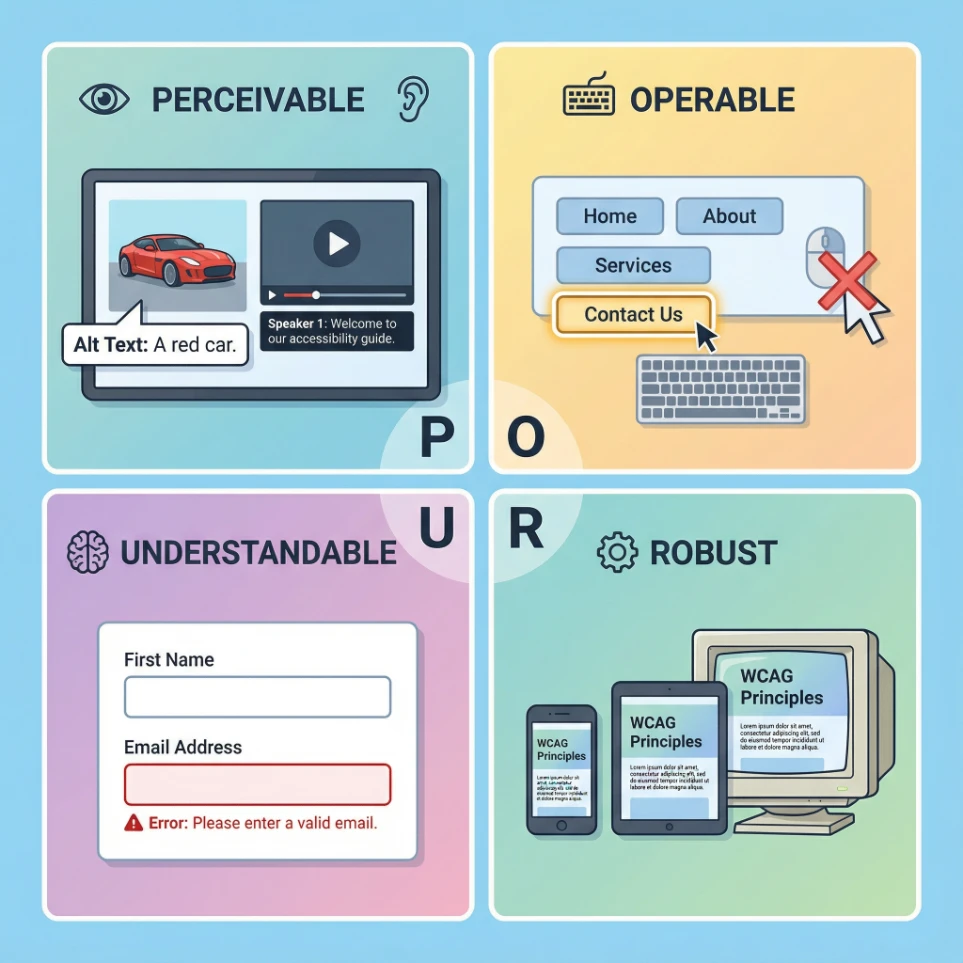
WCAG is built around four principles, often remembered by the acronym POUR:
- Perceivable: Users must be able to perceive the information being presented. This includes providing text alternatives for images, captions for videos, and sufficient color contrast.
- Operable: Users must be able to operate the interface. This means all functionality works with a keyboard (not just a mouse), users have enough time to read content, and navigation is predictable.
- Understandable: Users must be able to understand both the information and how the interface operates. Content should be readable, pages should behave predictably, and users should receive help avoiding and correcting mistakes.
- Robust: Content must work reliably across different browsers, devices, and assistive technologies like screen readers.
Conformance Levels: A, AA, and AAA
WCAG defines three levels of conformance:
- Level A: The minimum level of accessibility. Meeting only Level A still leaves many barriers in place.
- Level AA: The target for legal compliance. This is what the DOJ requires for government entities and what courts typically reference.
- Level AAA: The highest standard. Meeting every AAA criterion isn’t always feasible for all content, but certain criteria may be appropriate depending on your audience.
The practical target: WCAG 2.1 Level AA. This is the standard referenced in the DOJ’s Title II rule and the benchmark most courts use when evaluating accessibility claims.
What’s New in WCAG 2.2
While WCAG 2.1 remains the codified legal standard, WCAG 2.2 (finalized in late 2023) has become best practice. It addresses gaps for users with cognitive, learning, and motor disabilities. Key additions include:
- Focus Not Obscured: When users navigate with a keyboard, the focused element can’t be hidden behind sticky headers or cookie banners.
- Dragging Movements: Any action requiring dragging (like sliders or drag-and-drop) must have a click-based alternative.
- Target Size: Clickable elements must be at least 24×24 pixels (best practice is 44×44 pixels).
- Redundant Entry: Information users have already entered shouldn’t need to be re-typed. Think “billing address same as shipping” checkboxes.
- Accessible Authentication: Login processes can’t rely solely on cognitive tests like puzzles or memorization. Password managers must work, and alternative verification methods should be available.
The Accessibility Overlay Problem
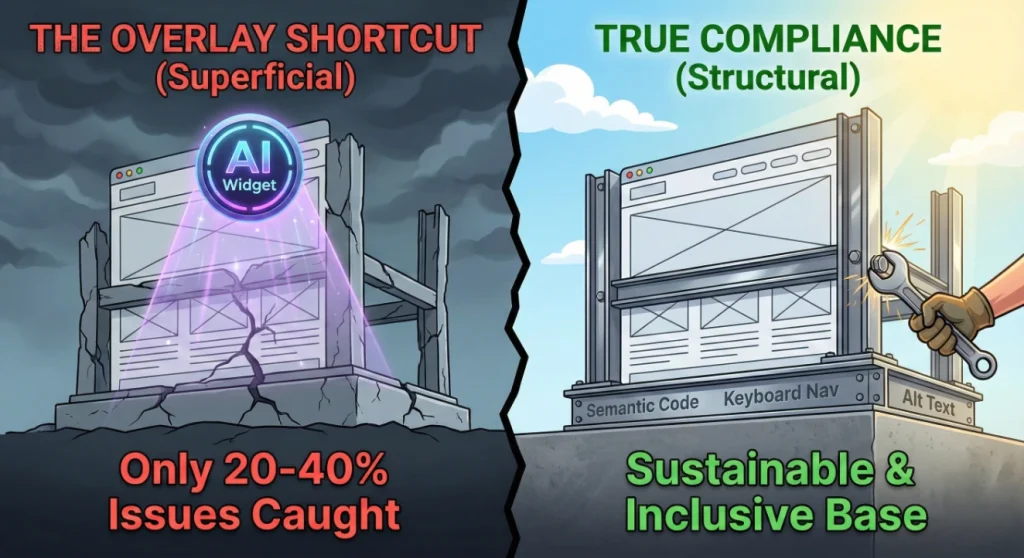
You’ve probably seen the ads: “Make your website ADA compliant in minutes with our AI-powered widget!” These accessibility overlays promise quick compliance through a simple code snippet. The reality is far different.
Why Overlays Don’t Work
In January 2025, the Federal Trade Commission filed a complaint against AccessiBe, the largest provider of accessibility overlays. The FTC alleged deceptive advertising, claiming the company’s AI tool failed to fix critical accessibility barriers and, in some cases, created new ones for screen reader users.
The settlement: $1 million and a prohibition on making unsubstantiated compliance claims.
This wasn’t surprising to accessibility professionals. Research consistently shows automated tools can only detect and address roughly 20% to 40% of WCAG issues. Here’s what they miss:
- Semantic structure: Whether headings are organized logically, not just whether they exist
- Keyboard navigation: Focus management in complex applications and single-page apps
- Meaningful alt text: AI can describe what’s in an image but often misses why the image matters in context
- User experience: Overlays often override the native screen reader commands users rely on, creating frustration
Overlays May Increase Lawsuit Risk
Here’s a sobering statistic: 22.6% of accessibility lawsuits in early 2025 targeted websites that had accessibility widgets installed. Rather than deterring litigation, overlays may actually attract it by signaling that a site owner knows about accessibility requirements but chose a shortcut.
The bottom line: There’s no quick fix for accessibility. It requires addressing the underlying code and design of your website.
Common Accessibility Issues (And How to Fix Them)
Most accessibility problems fall into a handful of categories. Understanding these can help you prioritize fixes and communicate with developers.
Images Without Alt Text
Every meaningful image needs alternative text describing its purpose. Decorative images should be marked so screen readers skip them. The key is writing alt text that conveys the image’s function, not just a literal description.
Poor Color Contrast
Text must have sufficient contrast against its background. WCAG requires a minimum ratio of 4.5:1 for normal text and 3:1 for large text. Light gray text on white backgrounds is a frequent offender.
Keyboard Navigation Issues
Every interactive element (links, buttons, form fields, menus) must be reachable and usable with a keyboard alone. Many users can’t use a mouse due to motor disabilities. Common problems include dropdown menus that only work with hover and custom components that trap keyboard focus.
Missing Form Labels
Form fields need programmatically associated labels so screen readers can announce what each field is for. Placeholder text isn’t enough since it disappears when users start typing.
Unclear Link Text
“Click here” and “Read more” links don’t communicate their destination. Links should make sense out of context since screen reader users often navigate by jumping through links.
Videos Without Captions
Pre-recorded videos need accurate captions for deaf and hard-of-hearing users. Auto-generated captions are a starting point but typically require editing for accuracy.
Document Accessibility
PDFs and other documents on your site need proper structure: tagged headings, reading order, and alternative text for images. The DOJ’s Title II rule does provide an exception for preexisting documents not currently used for active services, but any document people need to apply for, gain access to, or participate in your services must be accessible.
Building an Accessibility Program
Achieving and maintaining accessibility isn’t a one-time project. It requires ongoing attention integrated into how you build and maintain your digital presence.
The Testing Approach That Works
No single testing method catches everything. Effective accessibility programs combine:
- Automated testing (30-50% coverage): Tools like WAVE and axe DevTools catch obvious issues: missing alt text, contrast problems, and empty links. These should run on every page and ideally be integrated into your development workflow.
- Manual testing (50-70% coverage): Human review is essential for everything automation misses. Can someone complete your checkout using only a keyboard? Does the tab order make logical sense? Do error messages clearly explain how to fix problems? Manual testing should include actual screen reader use (NVDA with Firefox, VoiceOver with Safari).
Documentation Matters
Good documentation serves two purposes: it helps users understand how you’re addressing accessibility, and it demonstrates good faith if questions arise.
Your accessibility statement should include:
- Your commitment to accessibility
- The standard you’re targeting (WCAG 2.1 Level AA)
- Honest acknowledgment of known limitations and your remediation timeline
- A specific contact method for accessibility issues (a monitored email or phone number)
- For public sector entities: contact information for the relevant enforcement body
A remediation roadmap transforms potential liability into a managed project. Document each issue, link it to the relevant WCAG criteria, assess its impact (critical vs. minor), and assign target dates for fixes. This demonstrates proactive effort, which can matter significantly if legal questions arise.
Beyond Compliance: The Business Case
Legal compliance is one reason to prioritize accessibility. But the benefits extend further:
- Expanded market reach: People with disabilities represent significant purchasing power. Their friends and family also notice when businesses make accommodation a priority.
- Better SEO: Many accessibility best practices align with search engine optimization. Proper heading structure, descriptive alt text, and clear link text all help search engines understand your content.
- Improved usability for everyone: Accessible design often results in cleaner, more intuitive interfaces. Captions help people in noisy environments. Keyboard navigation benefits power users. Good contrast helps everyone in bright sunlight.
- Brand reputation: Demonstrating commitment to inclusion builds trust and differentiation in competitive markets.
Taking Action: Where to Start
If you’re just beginning to address website accessibility, here’s a practical starting point:
- Audit your current site. Run automated testing tools to identify obvious issues. This gives you a baseline understanding of where you stand.
- Prioritize high-impact fixes. Focus first on issues that completely block users, like missing form labels or keyboard traps. Then address issues affecting the most critical user paths (contact forms, checkout, key content pages).
- Publish an accessibility statement. Even if your site isn’t fully compliant yet, a statement showing your commitment and timeline demonstrates good faith.
- Build accessibility into your workflow. Ensure new content and features are accessible from the start. It’s far cheaper to build accessibility in than to retrofit it.
- Plan for ongoing maintenance. Accessibility isn’t “done” after a remediation project. Content changes, new features get added, and standards evolve. Regular testing should be part of your site maintenance routine.
The Path Forward
Website accessibility compliance in 2025 isn’t optional for businesses that want to reduce legal risk and serve all customers effectively. The regulations are clear, enforcement is active, and shortcuts like overlays have been discredited.
The good news: accessibility improvements benefit your entire audience, support your SEO efforts, and position your business as one that takes customer experience seriously. It’s an investment that pays returns beyond compliance.
For businesses in New Hampshire, Southern Maine, and the Greater Boston area, understanding these requirements is the first step. Taking action is the next.
Ready to Assess Your Website’s Accessibility?
At Brandit, we help businesses across the Manchester/Concord region, Portsmouth Seacoast, and Nashua/Metro Boston area build and maintain websites that work for everyone. Our approach goes beyond automated scans to include manual testing, remediation planning, and ongoing support.
Contact us at 603.645.2500 to discuss your website accessibility needs, or visit BranditMS.com to learn more about our digital marketing services.
- The Legal Landscape Has Changed
- What Changed for Government and Public Entities
- What This Means for Private Businesses
- Understanding WCAG: The Technical Standard
- The Four Core Principles
- Conformance Levels: A, AA, and AAA
- What's New in WCAG 2.2
- The Accessibility Overlay Problem
- Why Overlays Don't Work
- Overlays May Increase Lawsuit Risk
- Common Accessibility Issues (And How to Fix Them)
- Building an Accessibility Program
- The Testing Approach That Works
- Documentation Matters
- Beyond Compliance: The Business Case
- Taking Action: Where to Start
- The Path Forward
- Ready to Assess Your Website's Accessibility?
Ready to Take Your Brand Beyond Ordinary?
Your marketing shouldn’t just exist. It should perform. If you’re done settling for “good enough,” let’s build something impossible to ignore. Brandit helps you connect every digital, physical, and promotional touchpoint into one unstoppable brand experience.
Real Results,
Real Reactions
What Our Clients Say

"I sent out three bids for my marketing needs for this year and Brandit was the most responsive and provided great ideas. One company I reached out hadn't even gotten back to me while the other wasn't even close to being comparable to Brandit's creativity, pricing and service."
"I have used Brandit for several projects and they always come through with fantastic pricing and customer service. I highly recommend them."
Southern New Hampshire University

"Thanks to Brandit's generous contribution to the Big Ideas for Building Independence Capital Campaign, Easterseals NH is now better able to serve people with disabilities or special needs. With your support, we raised nearly $2.6 million for renovations to our headquarters."
"It has been an incredible journey! We couldn't have done it without you, and wish to take this opportunity to thank you and your team at Brandit Marketing Solutions for all that you have done and your generous donation."
Easterseals, NH

"Bringing Brandit Marketing Solutions into the CMC-fold is the best thing and most appreciative thing I've done since being at the Hospital."
Catholic Medical Center
"Exceptional does not even begin to cover the work that these people do. I have worked closely with other marketing firms and Brandit tops them every time. From innovative ideas to customer service that rivals the best of the best. I just couldn't speak more highly of them."
Southern New Hampshire University

"The Granite Group, headquartered in Concord, NH, distributes plumbing, heating, cooling, water and propane supplies to contractors and fuel dealers across New England through over 45 wholesale branches and their Online Store. The company also operates 15 retail showrooms under The Ultimate Bath Store name.
Brandit is pleased to say that we have been working with the Granite Group for over ten years which happens to be almost as long as this company has been in existence. In 2020, TGG was named one of New Hampshire's best places to work."
The Granite Group
10+ Year Partnership

"Over my long career, I have been in a position where I have worked closely with numerous vendors/suppliers. I can honestly say that I have never engaged with a company that is as amazing and responsive as Brandit."
"A sincere thanks to the team for the hustle on getting our shirts and tradeshow materials done for our group! You really relieved our pressure and I know it wasn't an easy task. Your effort and turnaround time was and is appreciated. Believe me when I say that I do not take for granted the relationship we have built over the years. Your service is top notch."
C&S Wholesale Grocers
"For almost a decade, the team at Brandit delivered successful and effective marketing solutions, spearheaded the merchandising of the FIRST brand by creating one-of-a-kind products, built, hosted, and managed their very first ecommerce store supporting all programs, staff, partners, sponsors, teams, and customers globally.
In addition, Brandit set up and managed multiple on-site retail stores at their premier Championship events where we serviced over 65,000 attendees. Today we provide web services as well as branded merchandise for regional partners".
FIRST Robotics
"The Brandit Marketing Solutions Ltd Team is wonderful to work with and we appreciate what they do to make us look good! They have expanded their services in recent years to meet whatever marketing needs you may have…from apparel and giveaway items to video and web services to graphic design and printing services, even graphic enhancements for your interior/exterior office space."
"I have worked with this team since the founding of their company and look forward to many more years of working together!"
Boys & Girls Club of Manchester
"The Brandit team is a talented group of creative professionals that I've worked with for years. Top notch!"
Art Murphy
Our Insights
.
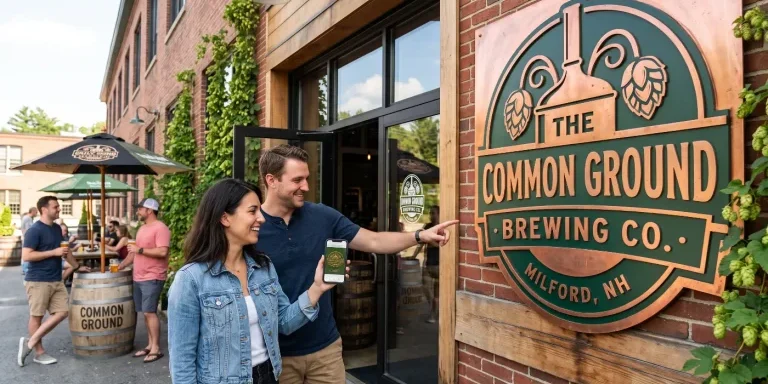
Brand Consistency: Make Your Site & Sign Match
Your website looks sharp. Your storefront sign looks fine. Your business cards came back a slightly different shade of blue than you remembered. Each one on its own seems like a small thing. Together, they cost you customers and money. Brand consistency is whether everything a customer sees from you looks and sounds like it…

Sustainable Promotional Products: A Buyer’s Reality Check
That recycled tote you ordered for the trade show has a problem. The product page called it eco-friendly, you felt good about the choice, and you moved on. Here is the uncomfortable part: when auditors actually test merchandise carrying self-declared green labels, close to half cannot back up the claim. The word on the page…
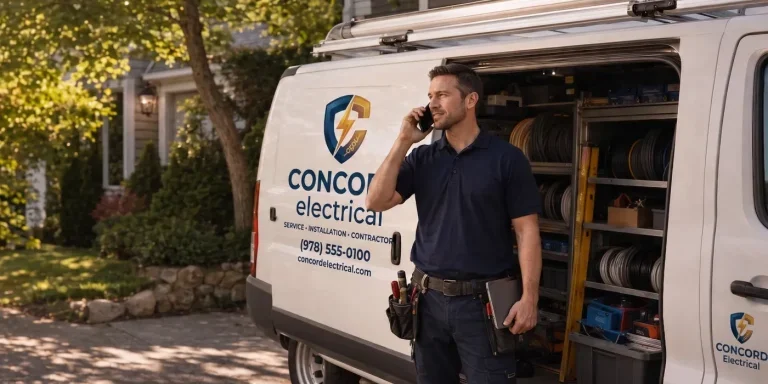
What Is AI Search Readiness and How Can Local Businesses Improve Visibility?
Your next lead may begin with an AI agent researching your company before a person ever visits your website or contacts your team. Google is expanding the ways its AI-powered Search tools can help people find and compare local providers. A customer can describe what they need, ask Google to research nearby businesses, and use…
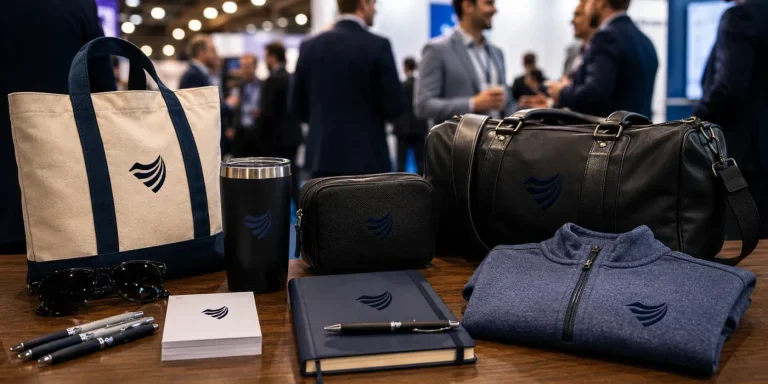
Premium vs. Volume: Rethinking Your Promotional Products Budget
You order 500 pens for the trade show. They cost a little over a dollar each, they have your logo, and they feel like a responsible use of the budget. Three weeks later, most of them are in a junk drawer, a parking lot, or a trash can. A few never made it out of…

Holiday SEO Timeline: Why December Rankings Start in Summer
The businesses that dominate search results this December made their move back in July. Not out of habit. They moved early because search rewards steady, consistent work in a way that no last-minute push can replicate. Holiday SEO is not a campaign you switch on when the decorations come out. It is an advantage you…

Corporate Holiday Gifting Timeline: Why Q4 Planning Starts in July
Here is the part nobody tells you about corporate gifting: the best time to lock in your holiday program is right now, in July. Not October. Not “right after Halloween.” July. That sounds early enough to be a joke. It is not. The companies that run corporate gifting well, sending memorable and on-time gifts to…

Website Performance Audit: Why Q3 Beats Q4 Every Time
Your website traffic is about to drop. Vacations start, inboxes go quiet, and the steady hum of summer browsing replaces the urgency of buying season. Most businesses read that slowdown as a reason to coast. That is the expensive mistake. The quiet stretch from July through September is the best window all year to run…

Summer Foot Traffic: Win It With a Mobile-First Website
Picture a family on a sidewalk in Portsmouth on a Saturday in July. It is 86 degrees, the kids are hungry, and someone pulls out a phone and types “lunch near me.” Three places show up on the map. They tap the first one. If that site loads fast and the menu is right there,…

Modern Phishing Scams: What Smart Businesses Need to Know
The old advice for spotting a scam email no longer works. Watch for bad spelling, awkward grammar, and a generic greeting, and you were safe. That rule protected people for years. Modern phishing scams have erased every one of those tells. Attackers now write clean, personalized messages, hide their links inside images, and move the…

Branded Koozies and Sunglasses Aren’t Lazy: High-Yield Summer Promotional Products
Someone on your team just rolled their eyes at the idea of branded sunglasses. Too obvious. Too expected. Let’s do something clever instead, maybe a little desk gadget or a puzzle nobody asked for. That instinct feels smart. It usually costs you the campaign. Here’s the part most people miss: the “clever” item lives on…
Omnichannel Marketing Solutions
Merging creativity and technology for comprehensive brand experiences.
PIXELS
Harnessing digital platforms for impactful brand promotion and audience engagement through strategic touchpoints.

PROMOS
Making the intangible tangible through high-quality promotional items that echo your brand's voice and values.

PLACES
Transforming physical environments into powerful brand narratives that forge connections with everyone who enters your space.